
Ask & learn
Questions, explanations, research, writing and maths. Many models draft, check each other, and you get one clear answer. Talk to it with the voice button.
“Explain how HTTPS works, simply.”All Systems Thinking, Reasoning as One.
A free AI workspace where many free models work as one team. Ask it anything, build software with an agent that plans, writes and tests, or hand it jobs from your terminal. One brain, many minds.
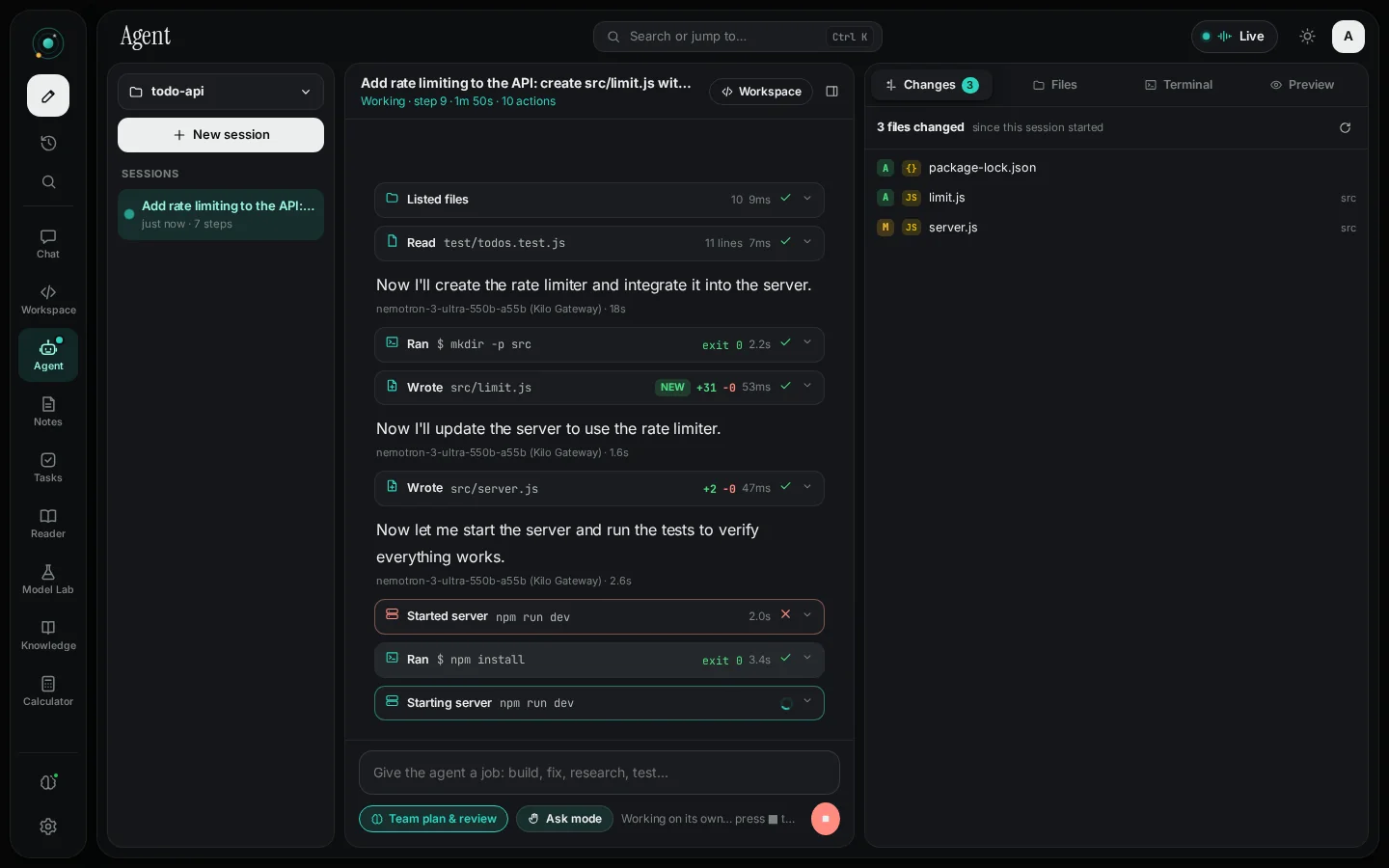
Try it: switch between Plan, Ask and AutoA dramatised demo · see real screenshots
One app for the things people use AI for every day, with a whole team of free models behind every answer. No subscription, no sign-in.
Questions, explanations, research, writing and maths. Many models draft, check each other, and you get one clear answer. Talk to it with the voice button.
“Explain how HTTPS works, simply.”Open a folder. The agent reads your code, plans, writes, runs the tests and shows you a diff. You choose Plan, Ask or Auto, and every run can be undone.
“Add login with email and a test.”The astro command brings the same agent to your shell, scripts and CI. One task, a live session, or JSON output for your own tools.
Start up to eight agents in parallel. Each one works in its own isolated copy of the project, so they never step on each other. Merge what you like.
astro parallel "A" "B" "C"A VS Code extension, a JavaScript SDK and an OpenAI-compatible API. It also reads your Claude Code, Cursor and OpenCode rules, skills and MCP servers.
MCP · skills · plugins · themesStudents, developers, makers and small teams who want a capable AI without paying for one. It runs in the cloud, so an older laptop is fine.
Windows · Linux · macOSThe name is the method. Every question and every coding job goes through the same five steps.
Every free model you have access to joins in, including the slow ones. Free tiers have limits; when one provider is busy, the rest carry on.
The team can use real tools: your files, a terminal, web search, a code runner, MCP servers and skills.
Each model works on its own draft or plan, at the same time, so you see different approaches, not one guess.
The drafts are compared and reviewed. A mistake one model makes is usually caught by another.
You get one clear answer, or one finished change with a diff. Press Answer now if you don't want to wait.
Type astro in any folder and a full-screen app opens, in the spirit of Claude Code and OpenCode: a calm conversation view, a side panel you can toggle, approvals right in the terminal, a model picker and parallel agents. These are real screenshots of version 2.0.0 working on a small todo API.
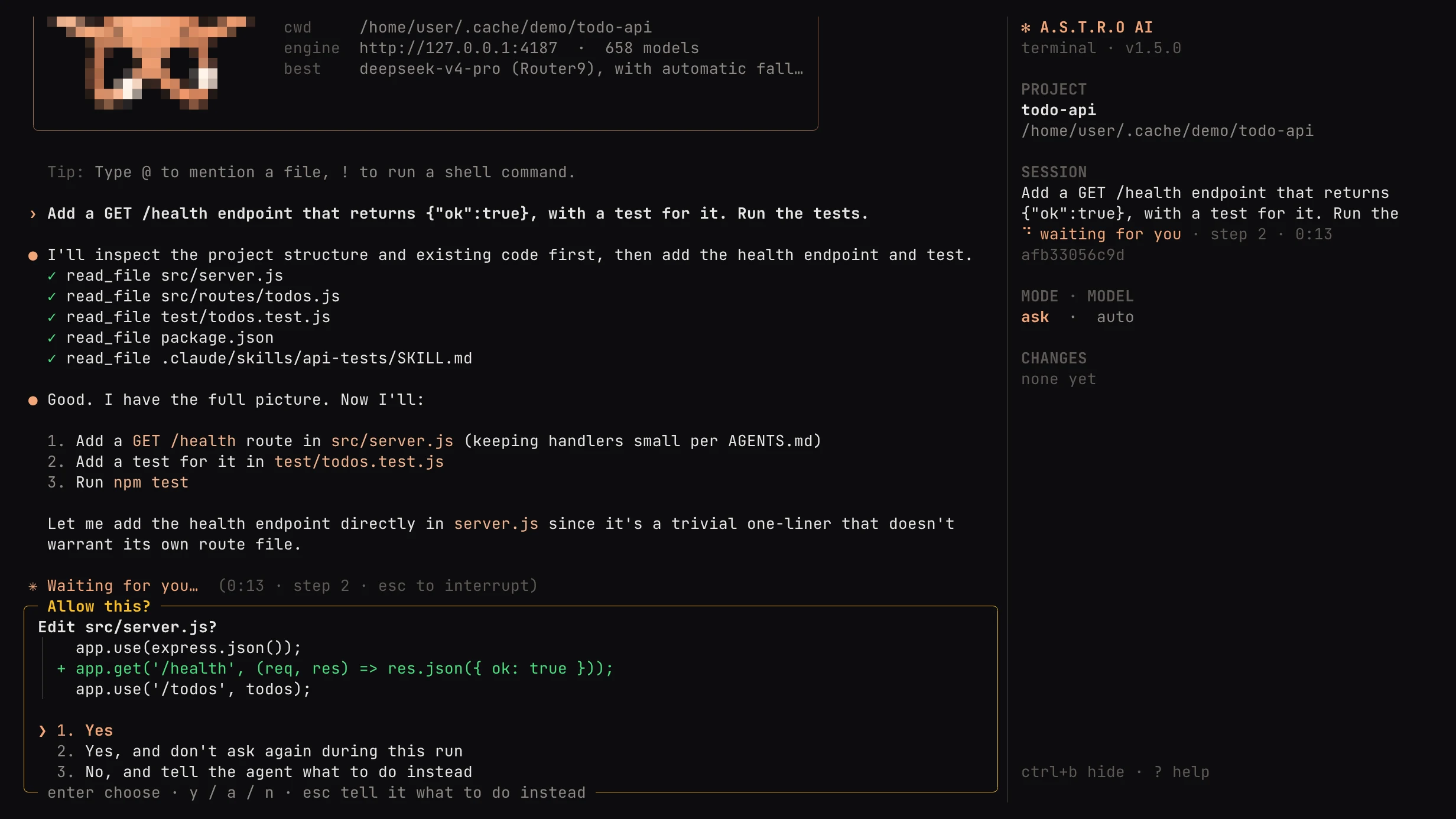
Ask mode: the agent stops before each change. y allows it once, a allows the rest of the run, n says no.
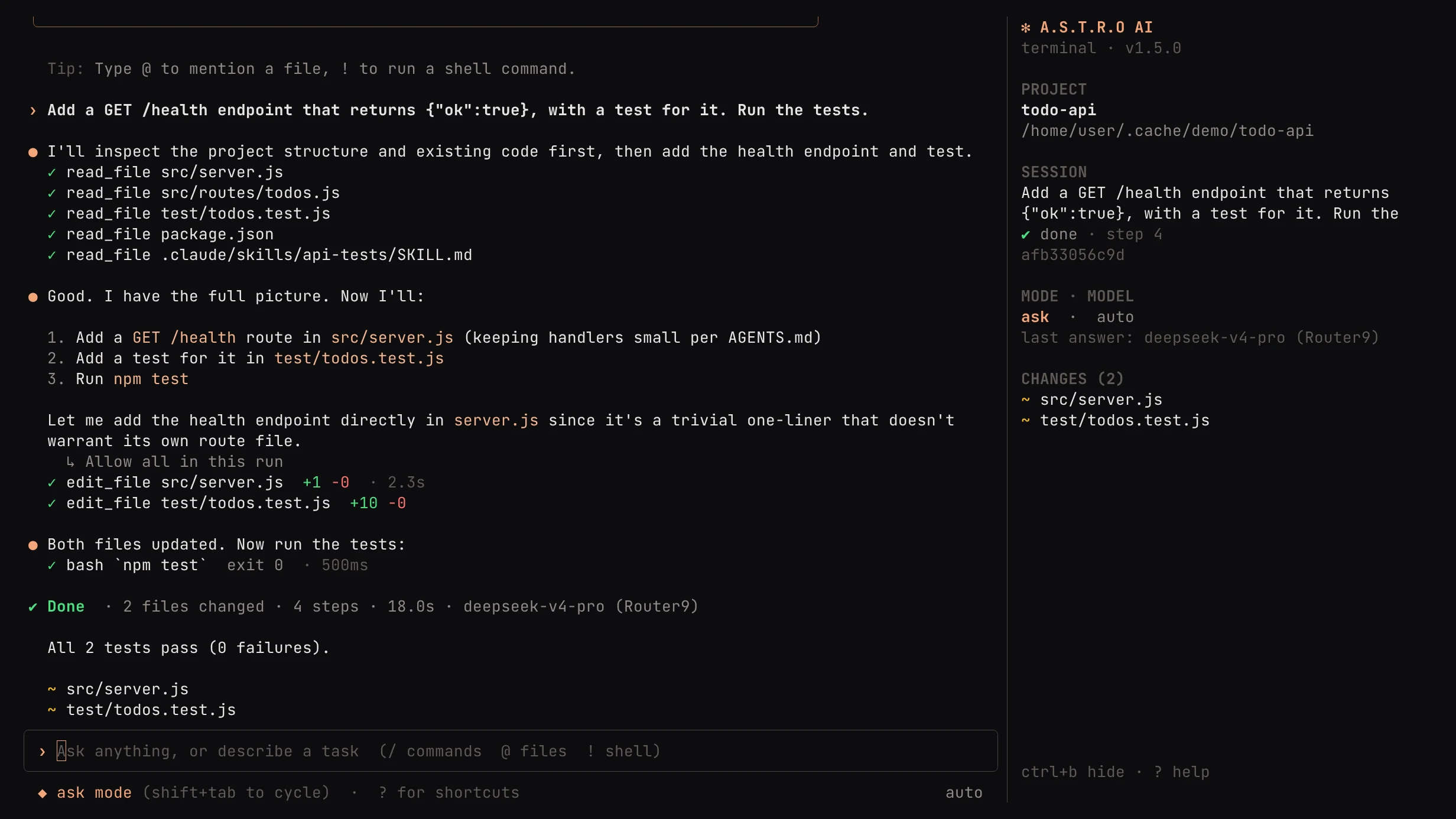
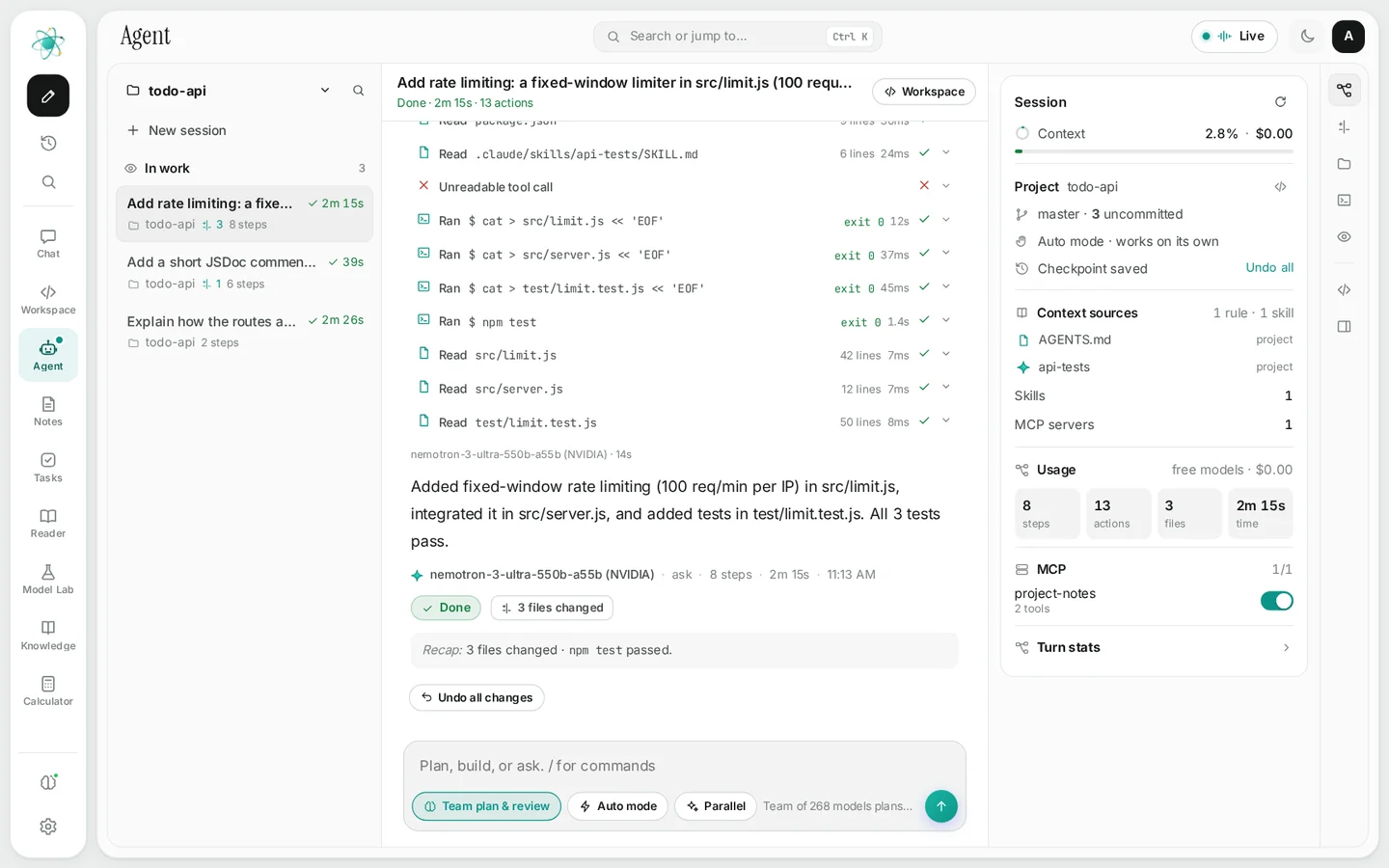
A finished run: what changed, the check it ran and a short report. /diff shows the changes and /undo takes them back.
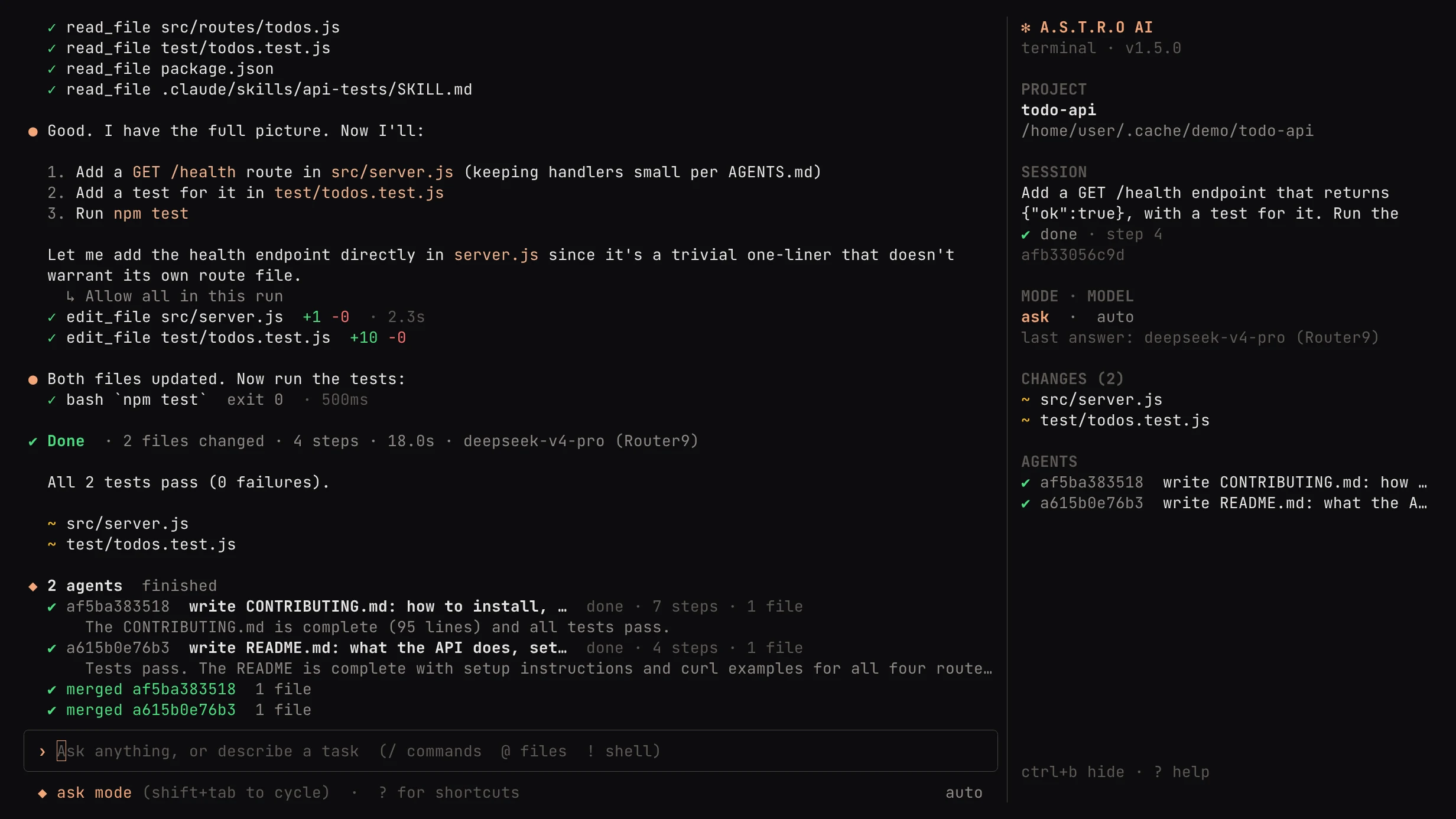
/parallel "task" "task" --merge: each agent works in its own copy, then the results are merged.
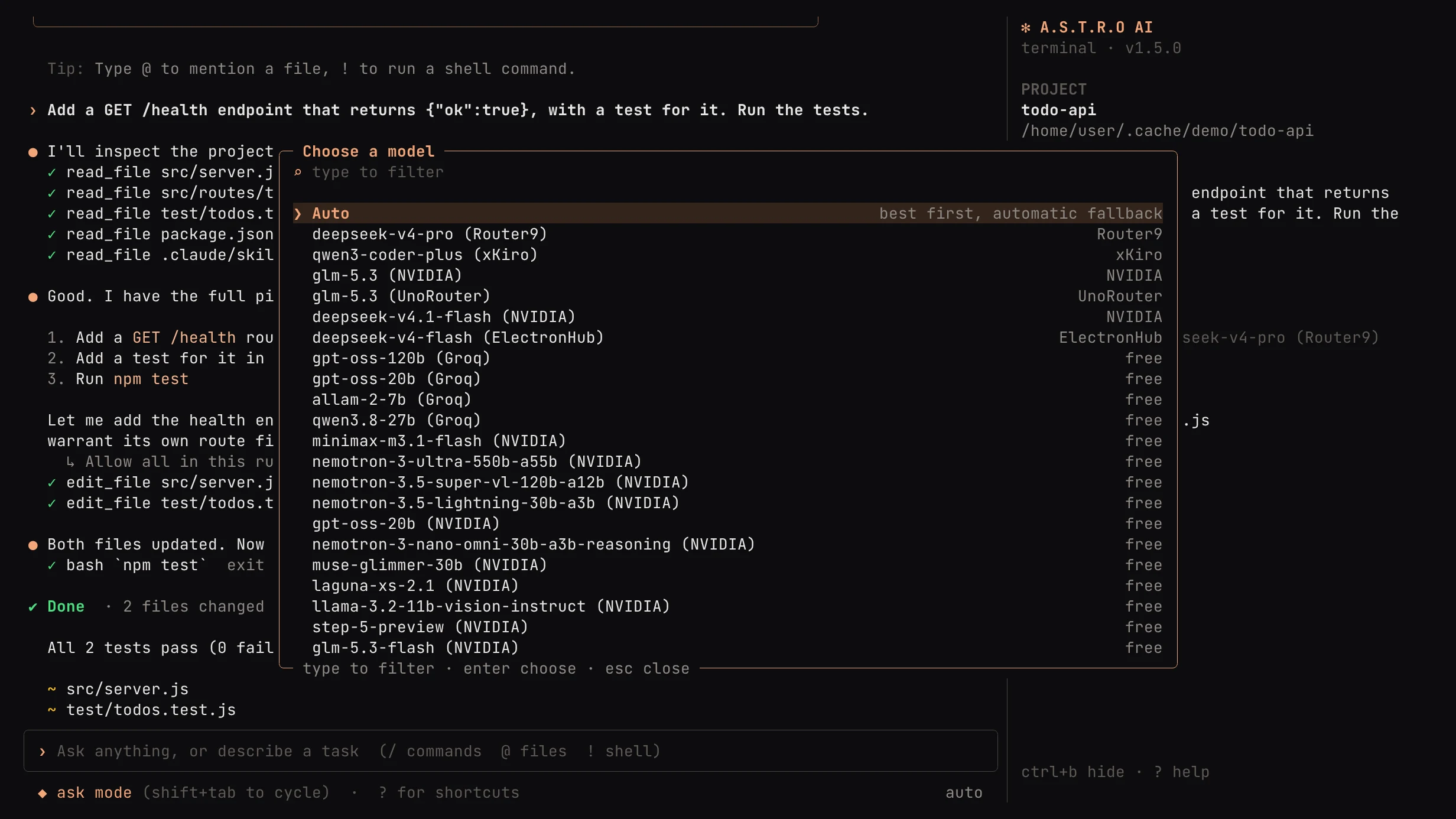
Ctrl+O picks a model, or leave it on auto and the engine fails over between free models.
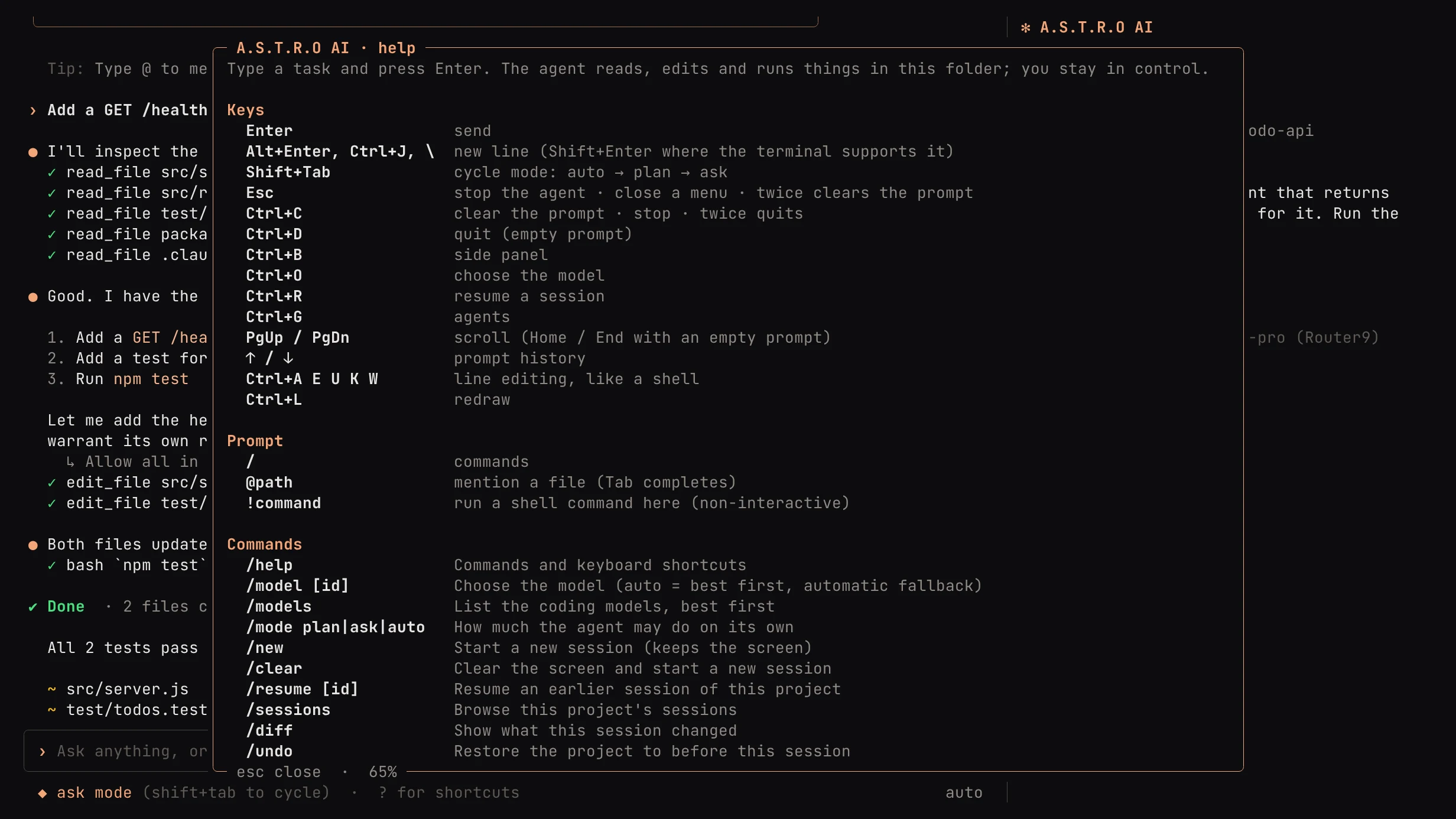
Press ? for every shortcut: Shift+Tab changes the mode, Ctrl+B toggles the side panel, Ctrl+R resumes a session.
The same command also runs one-shot jobs for scripts and CI. Real recordings; only the waiting is shortened.
--classic for plain lines)--json for scripts)Terminal only, no setup wizard and no admin rights. One command downloads it from the official release, checks the SHA-256 and puts astro on your PATH.
curl -fsSL https://esoexe.github.io/astro-ai/install.sh | shirm https://esoexe.github.io/astro-ai/install.ps1 | iexAlready have the desktop app? astro is included: the Windows installer and the Linux .deb put it on your PATH, and on macOS the download page has the one-line link command. Both share the same engine, projects and keys.
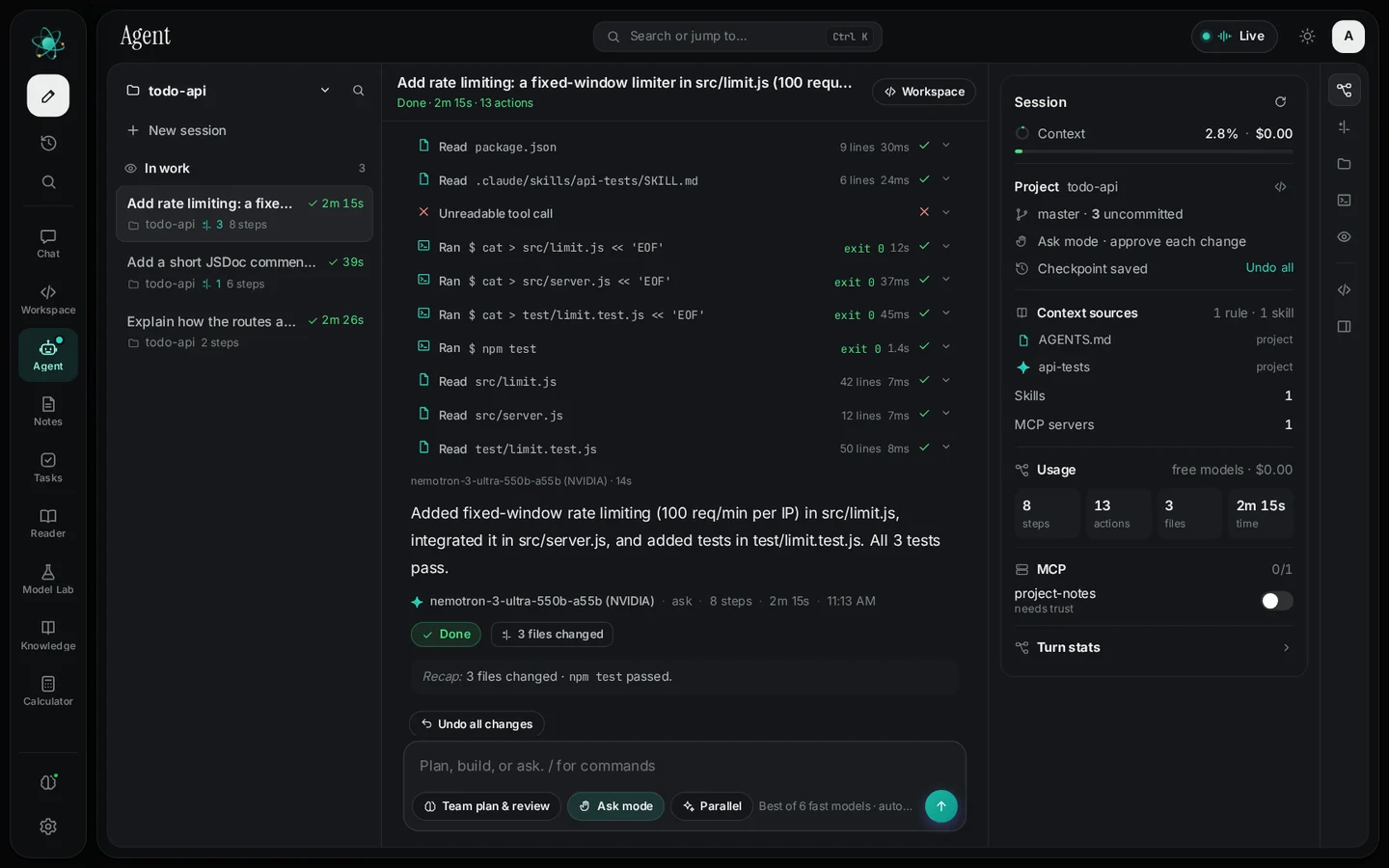
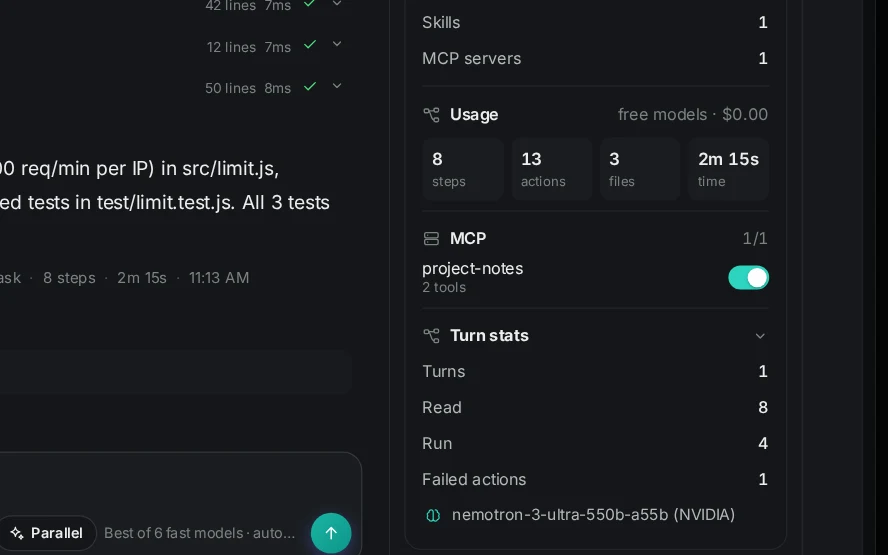
The desktop Agent page is redesigned around three columns: your sessions on the left, the run in the middle, and a Session panel on the right that answers the questions you used to click around for.
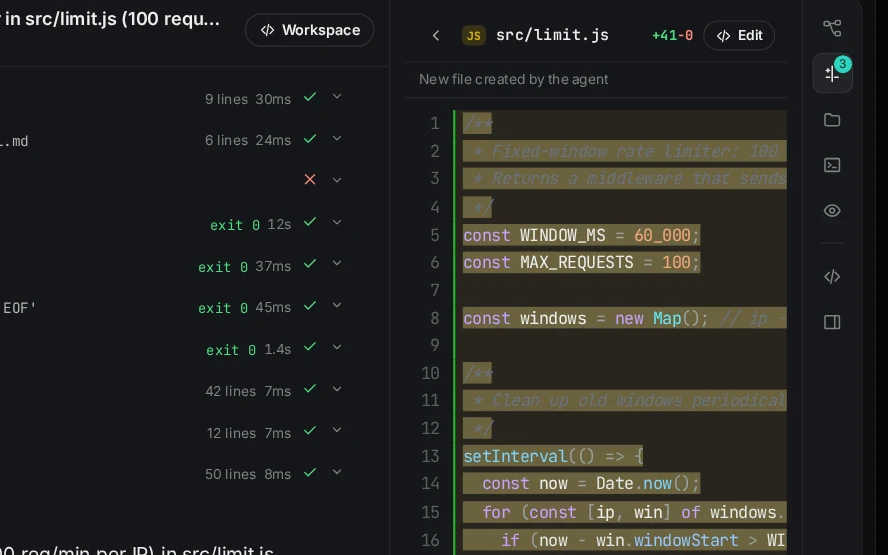
The Changes panel keeps a diff of each file, with Undo all one click away.
Trust a project's MCP server once, then switch it on or off for the agent.
Both themes, and a layout that folds down neatly on small screens.
Each agent gets its own git worktree, or a copy if the folder isn't a git repo. They work side by side and can't break each other's work. When they finish, you review and merge.
astro undo takes it backOne engine on your computer, four ways in. Start a job in one place and follow it from another.
Chat, One Brain, the Workspace IDE, the Agent and the Parallel panel. Windows, Linux and macOS.
Download →The astro command: live sessions, one-shot tasks, parallel agents, diff, merge and undo.
An extension that runs the agent on your folder or a selection, starts parallel agents, and lets you follow, diff and merge them.
Set it up →A JavaScript SDK for the local engine, and an optional OpenAI-compatible API for your own keys.
API docs →Every folder you open has a permission mode. Change it any time from the composer or with /mode. A checkpoint is saved before each run, so you can undo the whole job.
Read-only. The agent explores, searches and runs safe commands, then hands you a plan to approve.
Reading is free. Writing files and running commands waits for your OK, once or for the whole run.
The agent works on its own, logs every step and keeps a checkpoint, so one click undoes everything.
Screenshots straight from the app, working on the same todo-api project as the demos above.
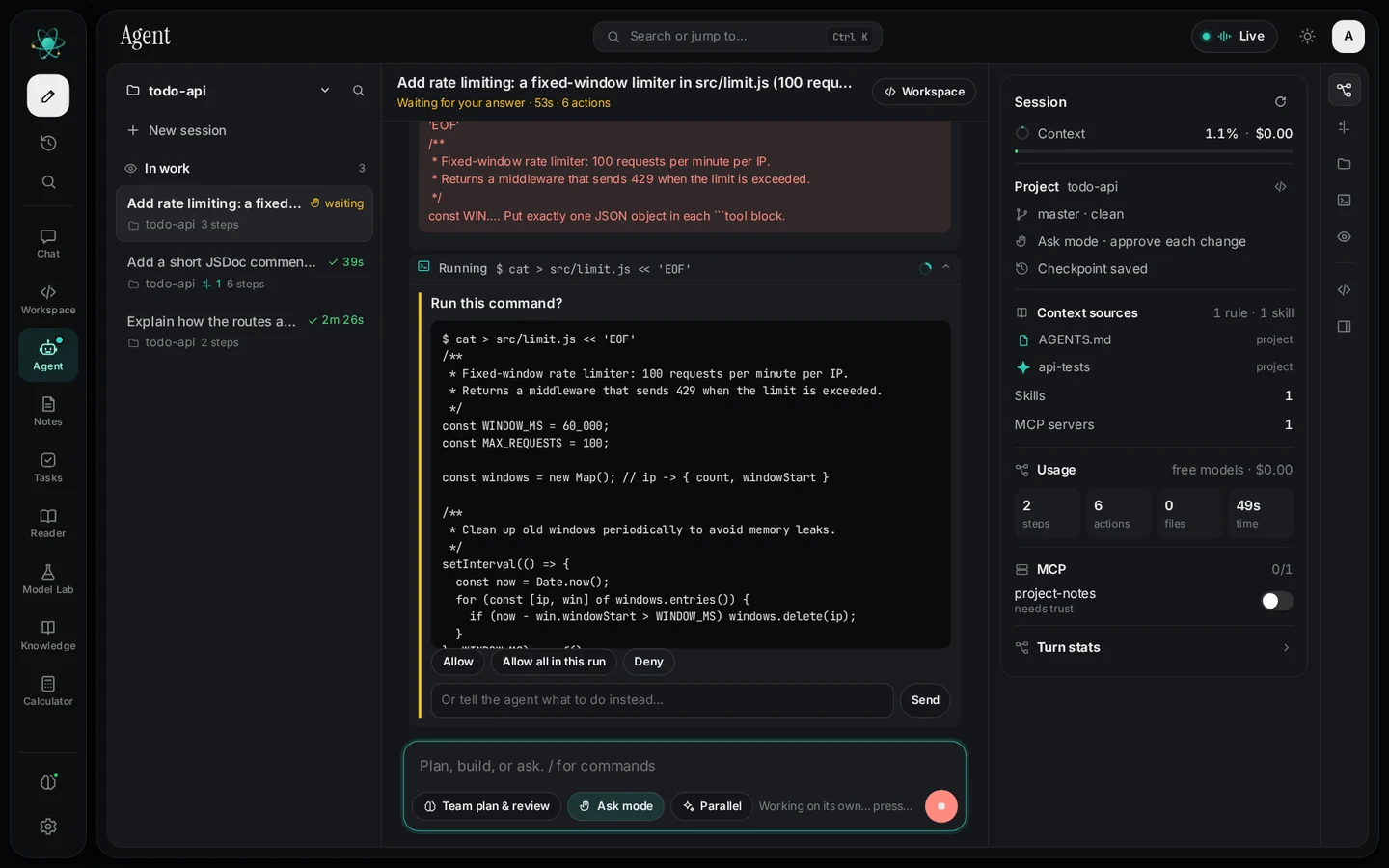
A real run on the new Agent page: every step is logged, and the Session panel tracks context, changes and checks.
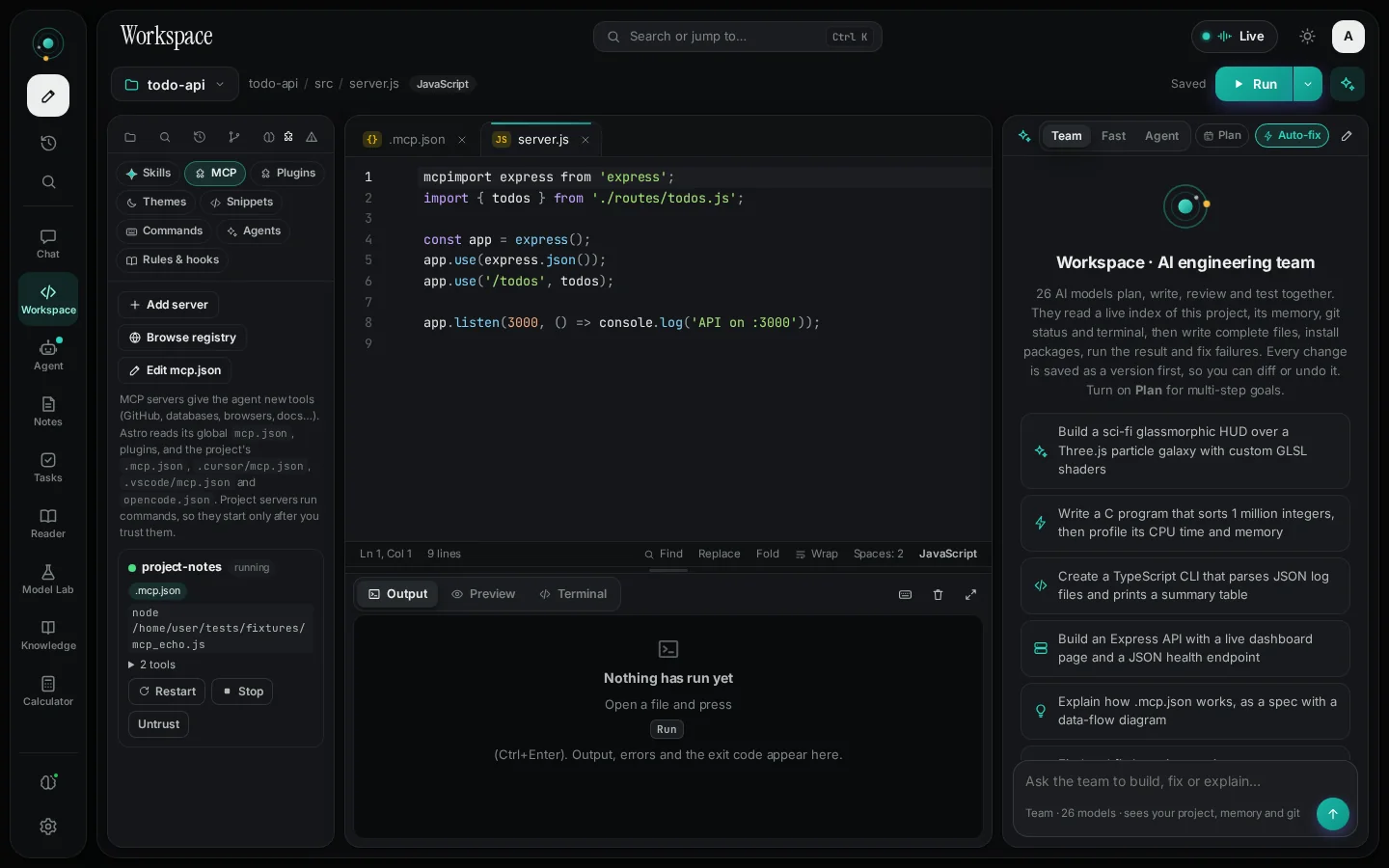
The project's own MCP server, found in .mcp.json and running after you trust it.
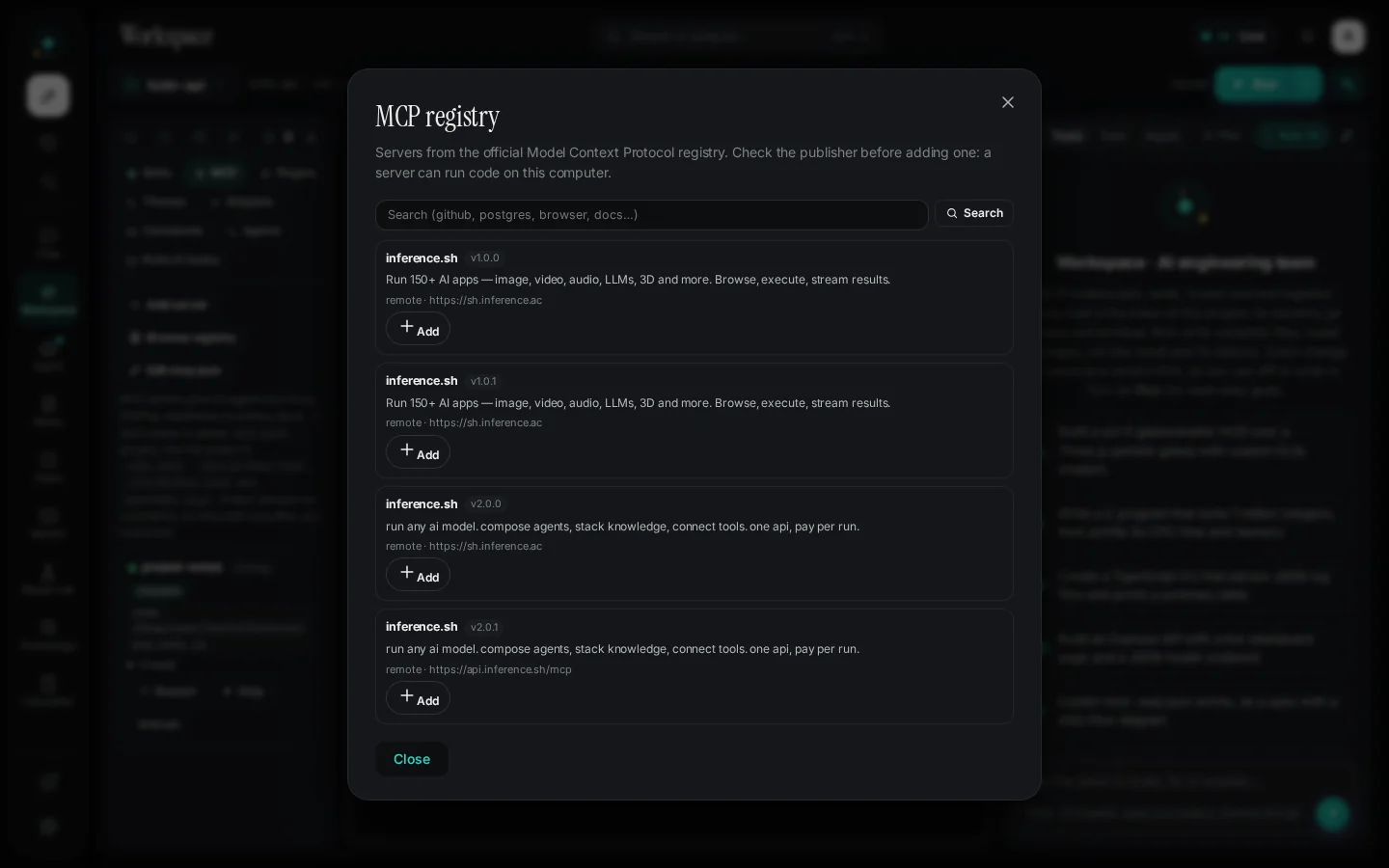
Search the official MCP registry and add a server in a click.
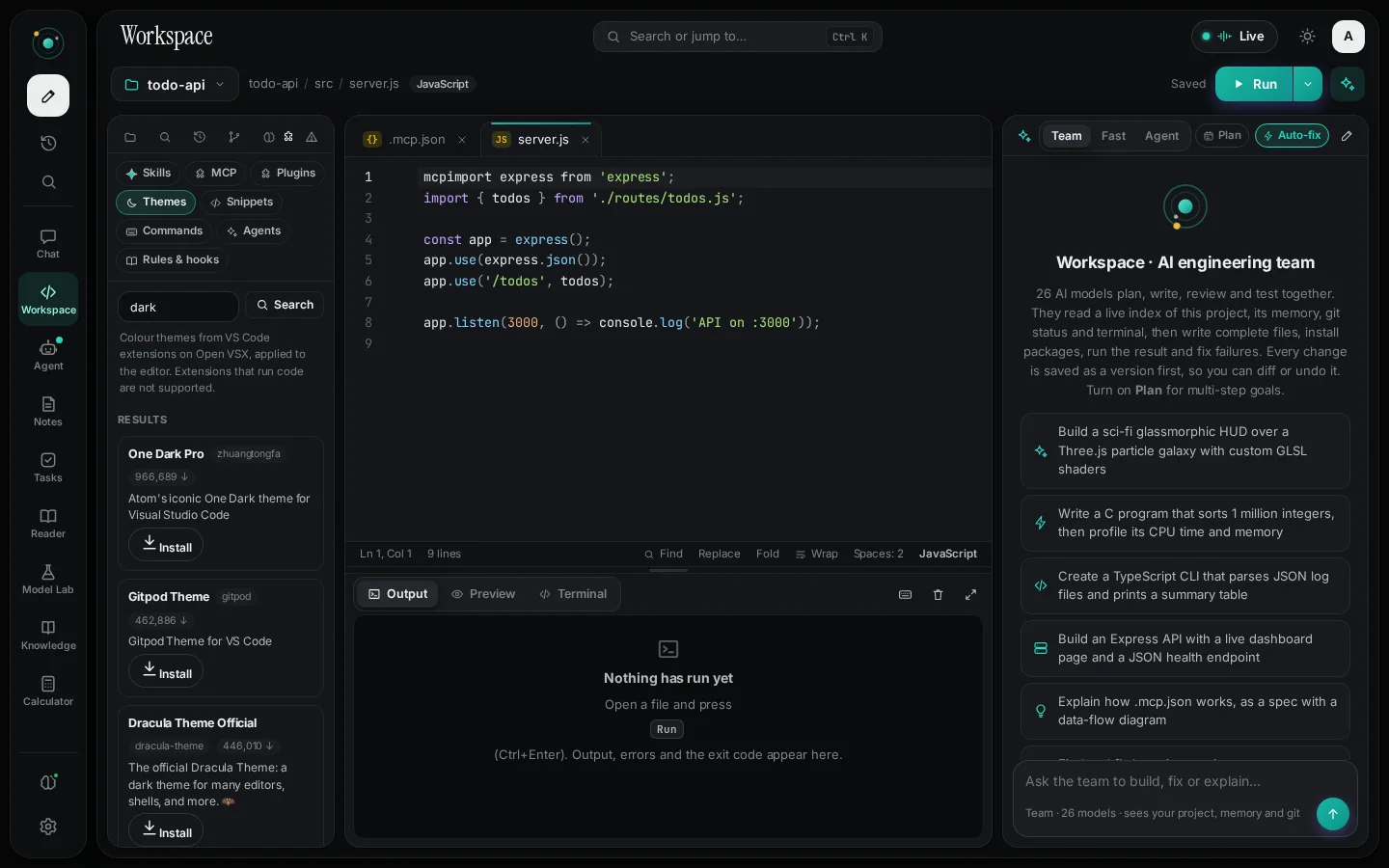
VS Code colour themes and snippets from Open VSX. Extensions that run code are not installed.
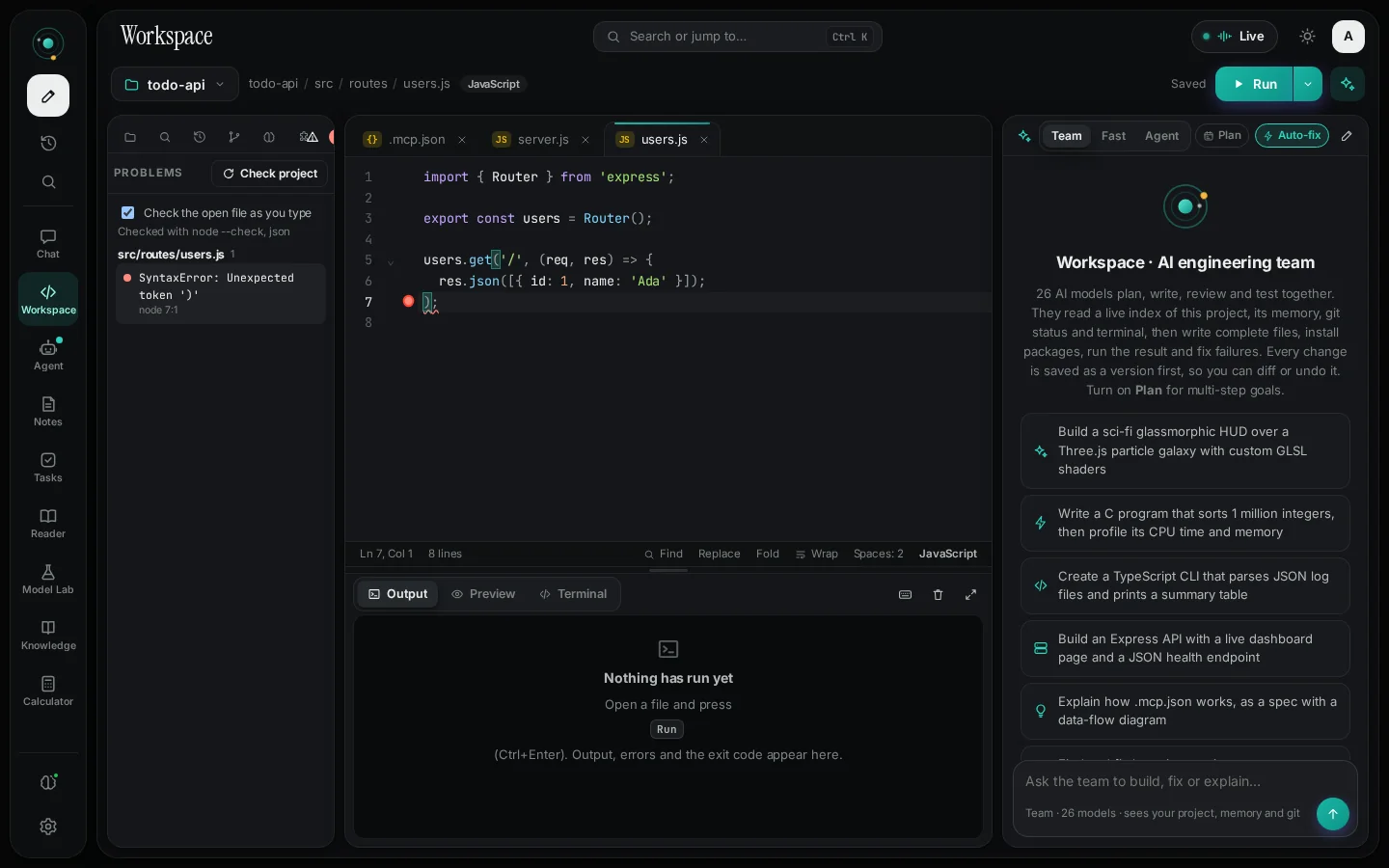
Problems from your own toolchain, with squiggles right where the error is.
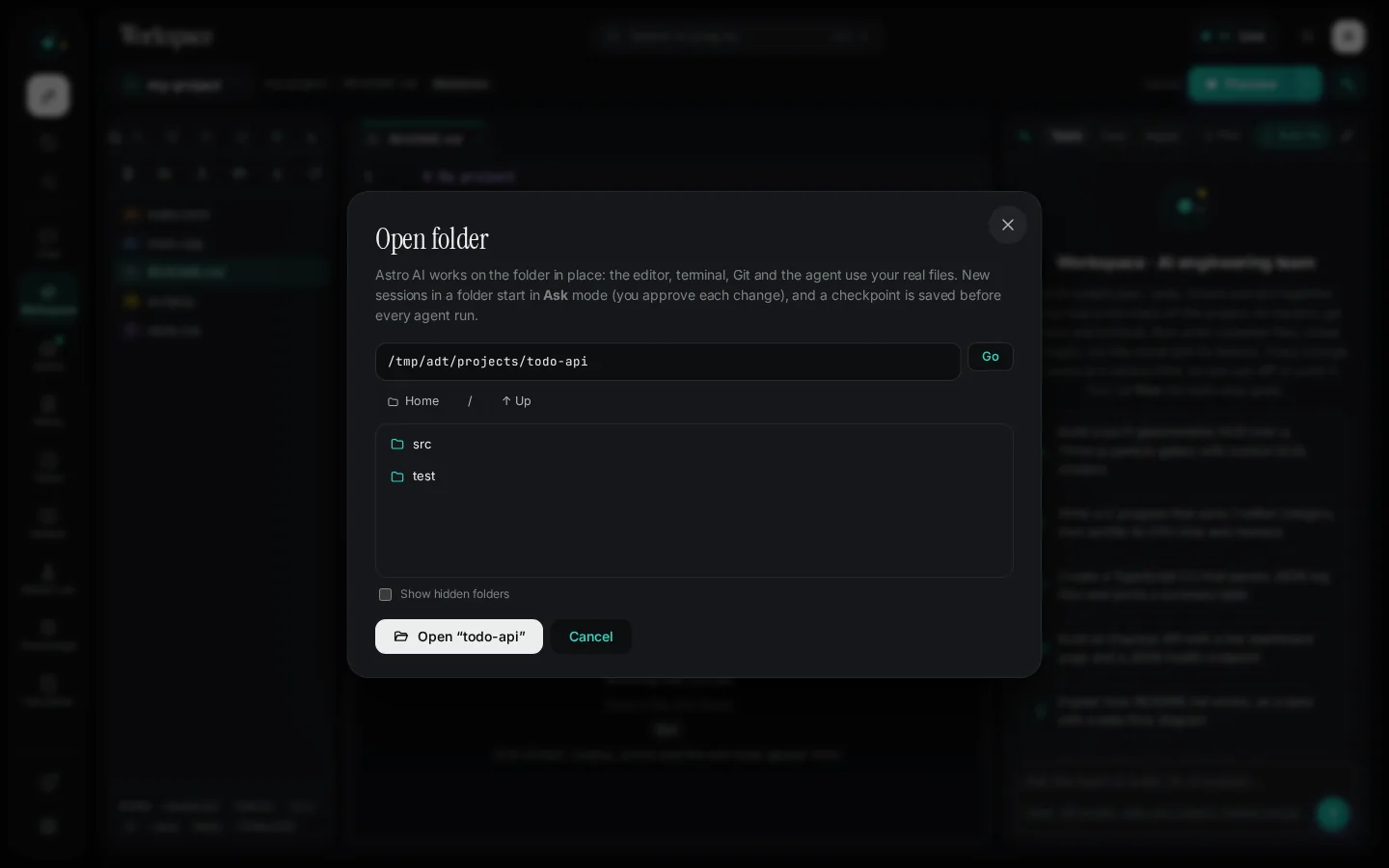
Work on real folders on your disk. Closing one never deletes your files.
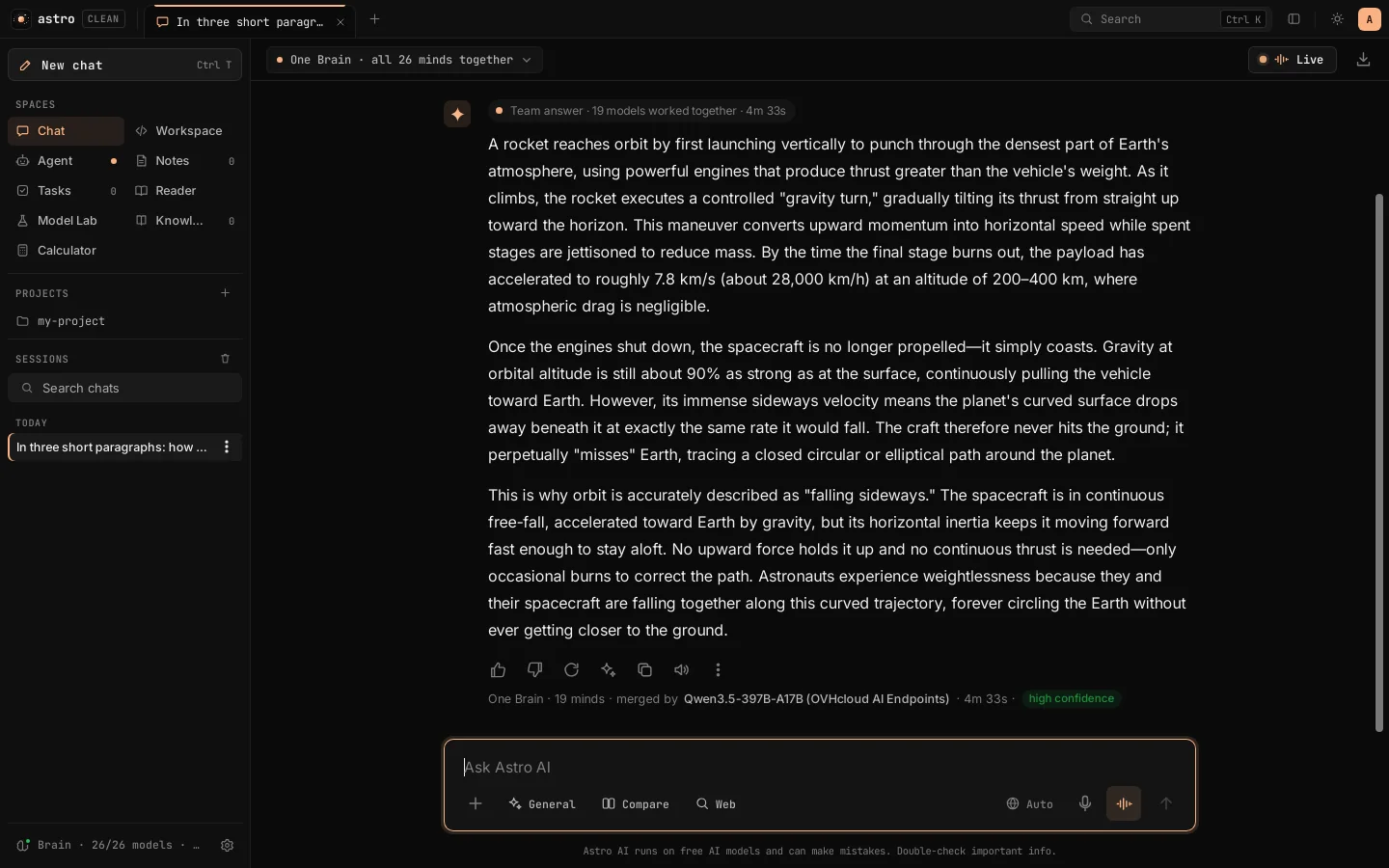
And the chat that started it all: One Brain, where the whole team writes one answer.
Free models from providers like these, built in or with your own free key
The models run in the cloud, so A.S.T.R.O AI stays light on your RAM, CPU and GPU.
Windows 10 and 11, 64-bit. Uses the Microsoft Edge WebView2 runtime, which is already included in Windows 11.
64-bit Linux with glibc 2.35 or newer, such as Ubuntu 22.04+, Debian 12+ and Fedora 36+. Uses WebKitGTK.
macOS 11 or newer, on Apple Silicon or Intel. One universal disk image.
Checksums and install notes are on the download page.
Yes. The app is free, and so are the models it uses out of the box. They come from providers' free tiers, which have daily or per-minute limits. When one provider hits its limit, the rest of the team keeps going.
You can add free API keys from more providers in Settings. Nothing in A.S.T.R.O AI asks you to pay.
All Systems Thinking, Reasoning as One. It describes how the app works: all the models, using real tools (systems), each think the problem through, reason over each other's work, and come back with one answer.
The terminal command is still astro, and so are the file and folder names.
Anyone who wants a capable AI without paying for one: students, developers, makers and small teams. Use it to ask and learn, to build and fix software, or to run coding jobs from your terminal and scripts. The models run in the cloud, so it works well on older computers too.
Only the name. Your chats, projects, keys and settings stay where they were, updates install over the old version, and the astro command works the same way. On a Mac, the new app sits next to the old one, so you can delete “Astro AI Clean” after the first launch.
Folders you open start in Ask mode: the agent can read, but every file change and command waits for your approval. Plan mode is read-only. In Auto the agent works on its own, but a checkpoint is saved first so you can undo the whole run.
It's still an AI, so review changes before you ship them, and keep your work in git.
Yes. A.S.T.R.O reads AGENTS.md, CLAUDE.md and other rule files, skills, slash commands, subagents, hooks and MCP configs from the places those tools use, and installs Claude Code plugins from GitHub. If the CLIs are installed, the agent can also hand work to them.
No. MCP servers from a project's config and project hooks only run after you trust them, because they can run code on your computer. You can stop or untrust them at any time in the Extensions panel.
Not for the app. There's no sign-in: install it and start. An account is optional and only needed for the A.S.T.R.O API.
Your projects, chats and keys stay on your computer. When you ask for something, the relevant text and code go to the AI providers that answer it, and each provider has its own privacy policy. A.S.T.R.O AI has no analytics and no telemetry. Read the privacy page.
After the work is done, the whole team reviews it, which can take a few minutes. Press ■ to skip the review, or switch the composer to Fast for quick single-model replies.
No. A.S.T.R.O AI combines existing language models, and teamwork tends to catch more mistakes than any one model alone. But the models can still be wrong, so double-check anything important.
The installer isn't code-signed yet, so Microsoft SmartScreen shows a warning for new apps. Click More info, then Run anyway. To be sure the file wasn't changed along the way, compare its SHA-256 checksum with the one on the download page.
Free, no account, and ready the first time you open it.