
A coding platform. And everything around it.
A.S.T.R.O AI puts an editor, a terminal, an autonomous agent and a team of free models side by side, and it speaks the config of the tools you already use.
Bring your tools, skills and servers.
The features you know from OpenCode, Claude Code, Codex, Cursor, VS Code, Antigravity and DeepSeek Harness, in one app. A.S.T.R.O reads the setup files those tools already use, so an existing project works as it is.
Open folder
Open any folder on your computer. The editor, terminal, Git and agent work on your real files. Closing the folder never deletes anything.
Plan, Ask, Auto
Choose how much the agent may do: inspect and plan only, ask before each change and command, or work on its own. A checkpoint is saved before every run.
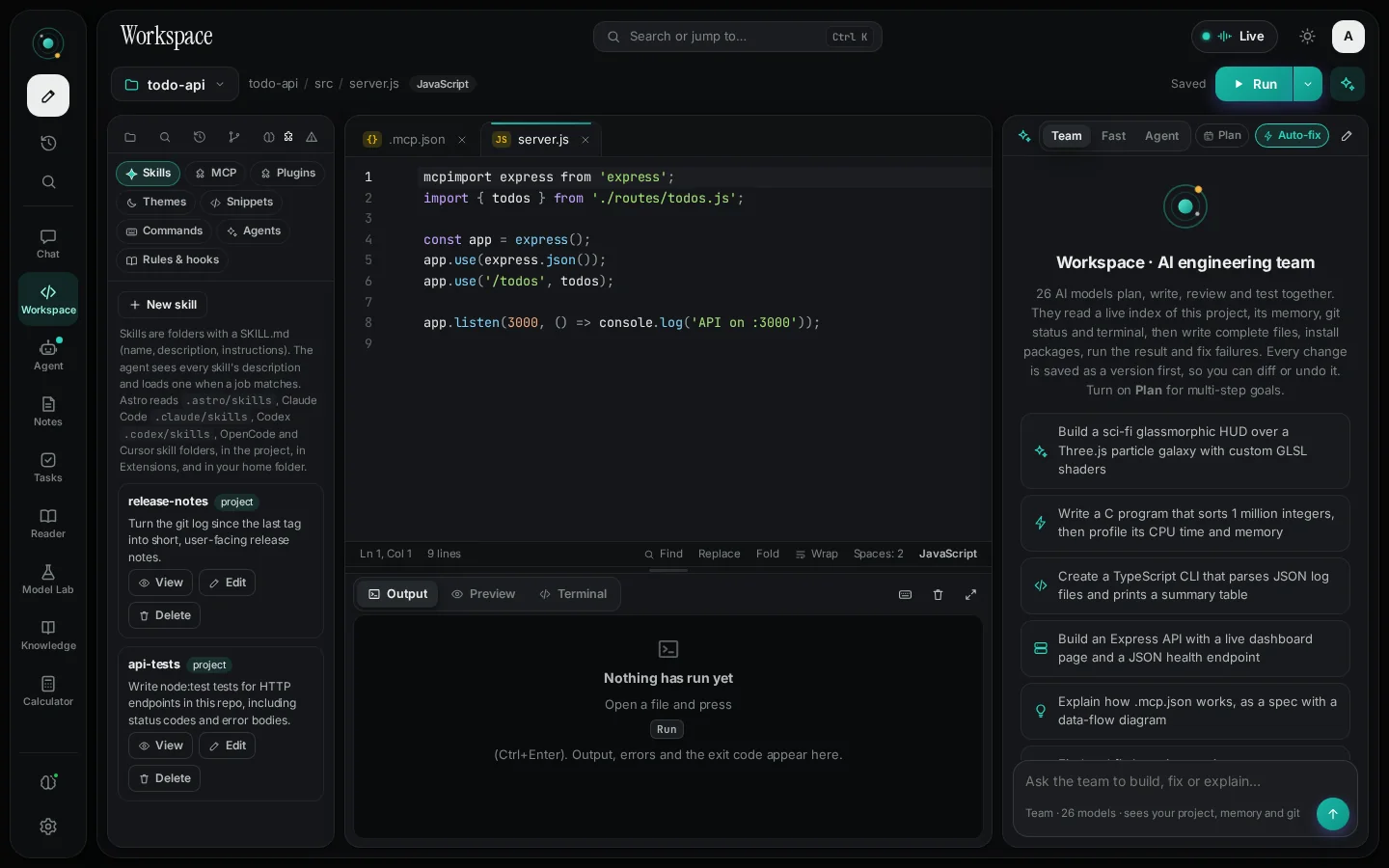
Skills & rules
Reads AGENTS.md, CLAUDE.md, GEMINI.md, Cursor rules and Copilot instructions, plus SKILL.md skills, custom slash commands and subagents.
MCP servers
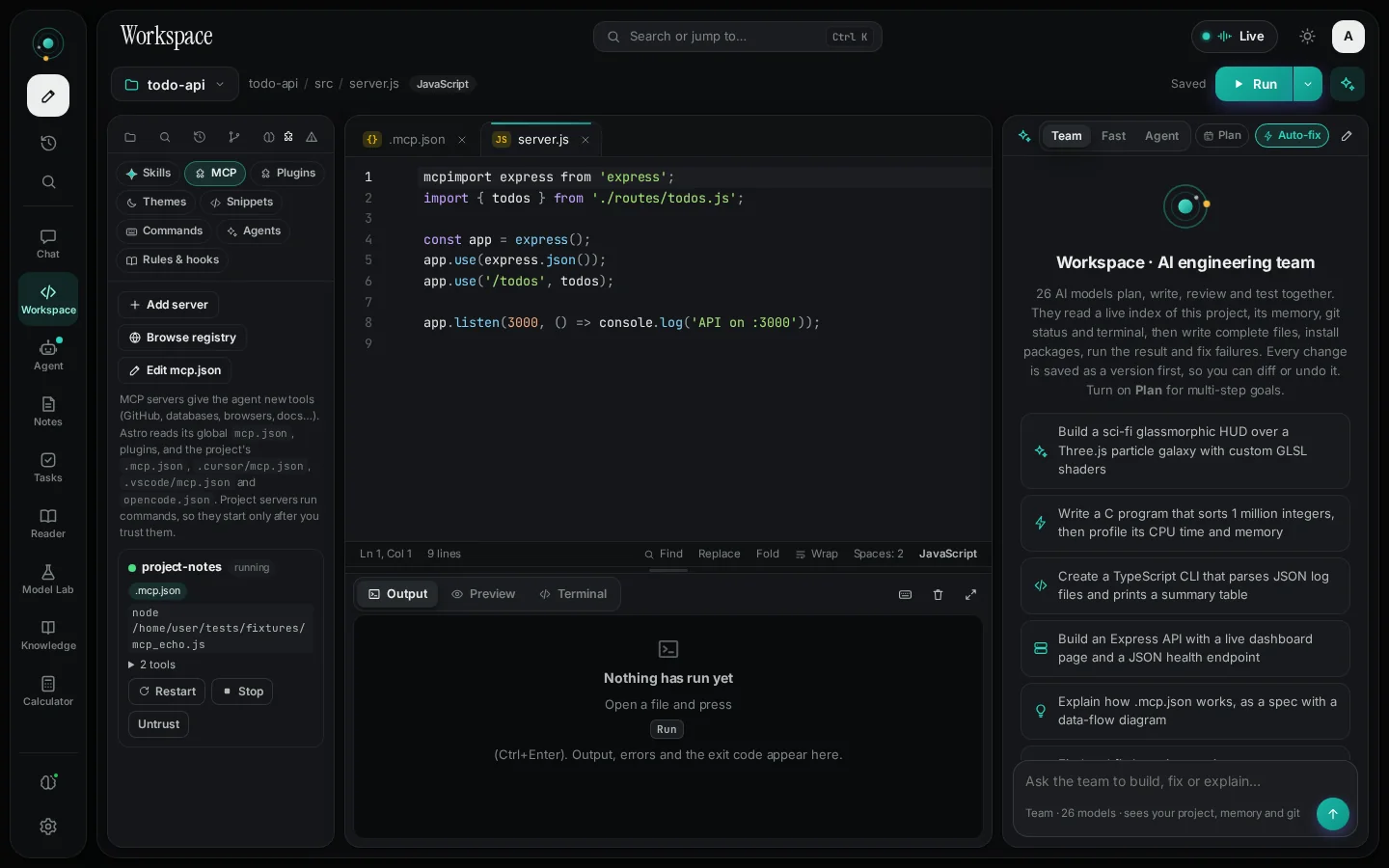
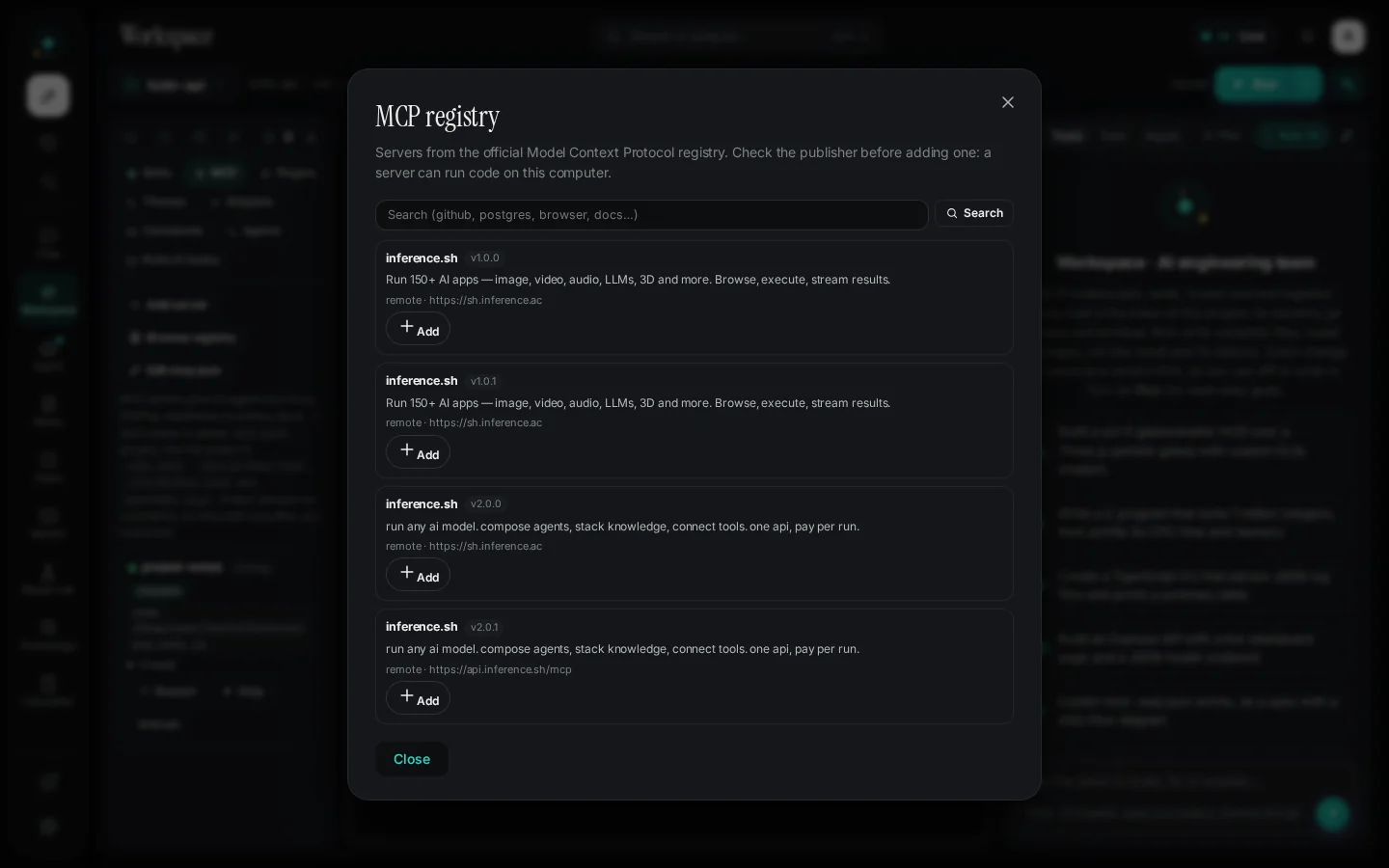
Connect Model Context Protocol servers from the official registry, or your own .mcp.json. Project servers run only after you trust them.
Plugins
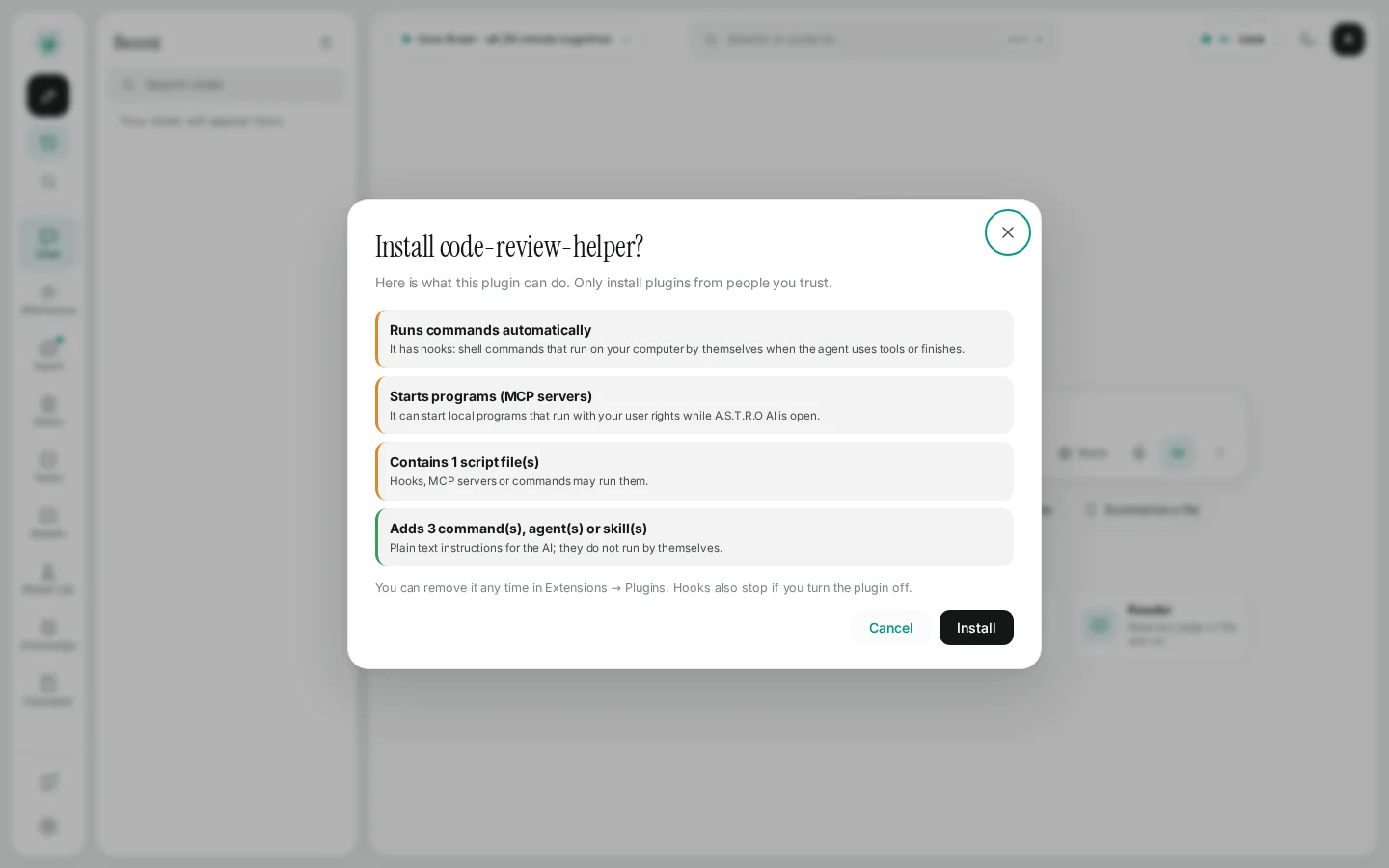
Install Claude Code plugins and plugin marketplaces straight from GitHub. They can bundle skills, commands, agents, hooks and MCP servers.
Themes & snippets
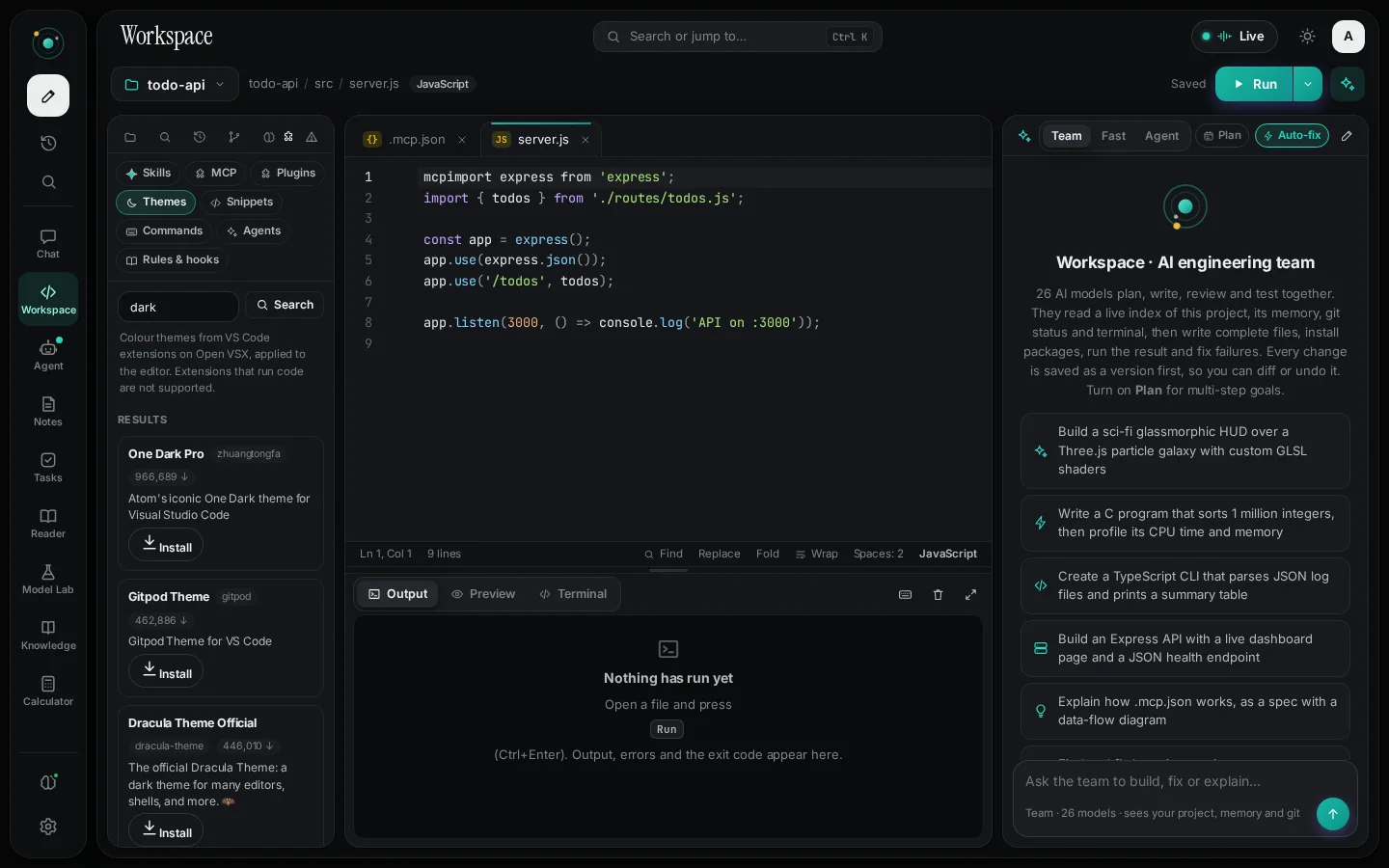
19 built-in themes, and any VS Code colour theme from Open VSX recolours the whole app. Snippet packs install the same way.
Slash commands
/init, /plan, /review, /test, /commit, /compact and more, plus your own commands with $ARGUMENTS.
Subagents & CLIs
The agent can hand a sub-task to a subagent, or to Claude Code, Codex, OpenCode, Gemini CLI or DeepSeek Harness if you have them installed.
Agent Manager
An Antigravity-style view of every agent session in the window. Run jobs in parallel across projects and stop any of them.
Terminal app
astro opens a full-screen agent in your terminal, with a toggleable side panel, inline approvals and a model picker, astro -p for scripts and CI with JSON output, and commands to follow, diff, merge and undo any agent.
Parallel agents
Run several agents at once, each in its own git worktree or copy of the project. Review each diff, then merge or discard it. Merging stops when a file was also changed in the project after the agent started.
VS Code & project tools
A VS Code extension (also for VSCodium, Cursor and Windsurf) drives the same agents. Projects can add their own agent tools in .astro/tools.
A code editor with a team inside.
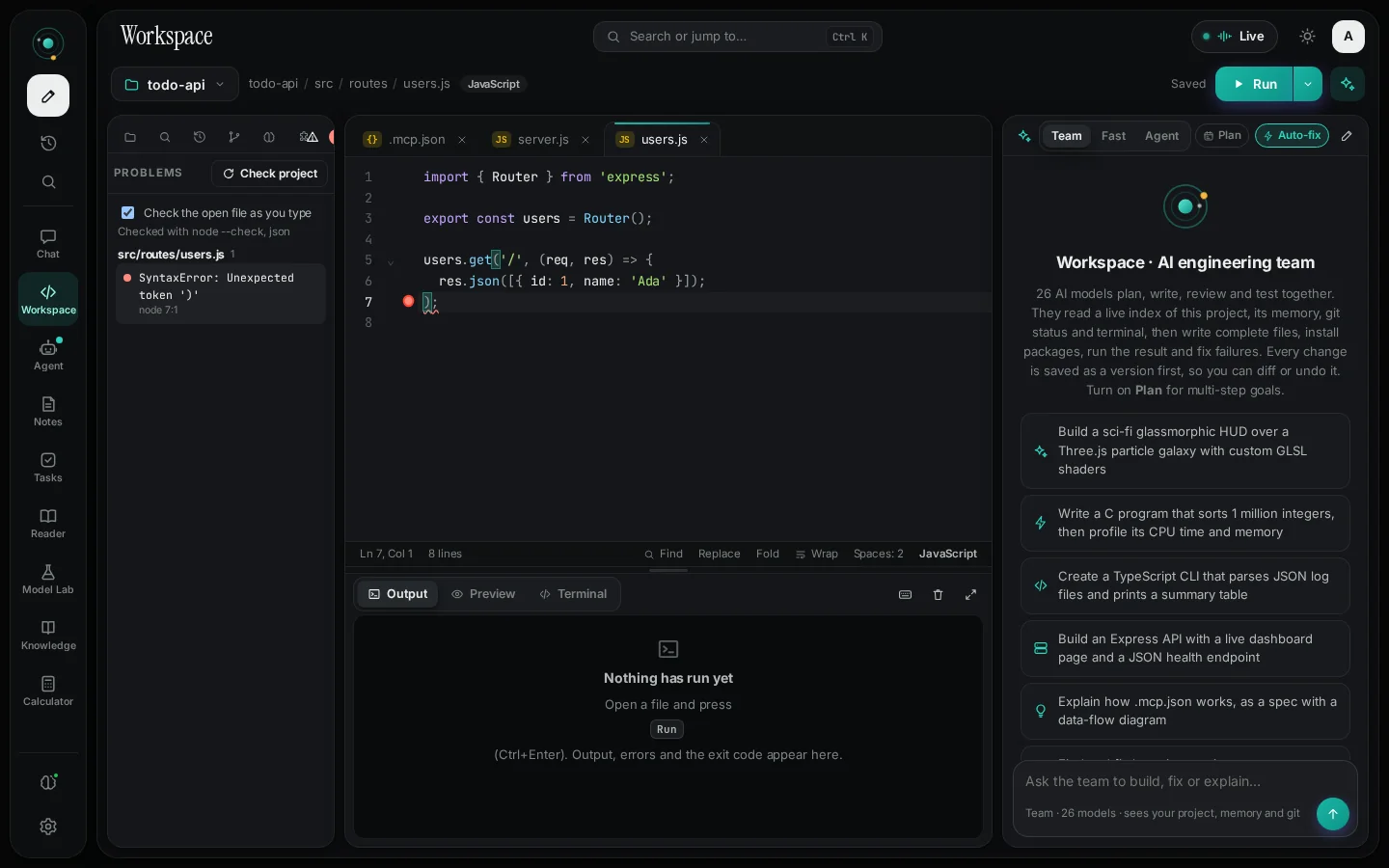
Open a project and the AI engineering team works right in your files. It reads a live index of the project, its memory, git status and terminal, then writes complete files, installs packages, runs the result and fixes failures.
- Run JavaScript, Python, C, C++, Java, Bash and HTML/CSS with one shortcut
- Output, live preview and a real terminal in the same window
- Every change is saved as a version first, so you can diff it or undo it
- Problems panel with live error squiggles, from node, tsc, gcc, cargo, go and more
- AI ghost-text completions and Ctrl I inline edits
Hand over the whole job.
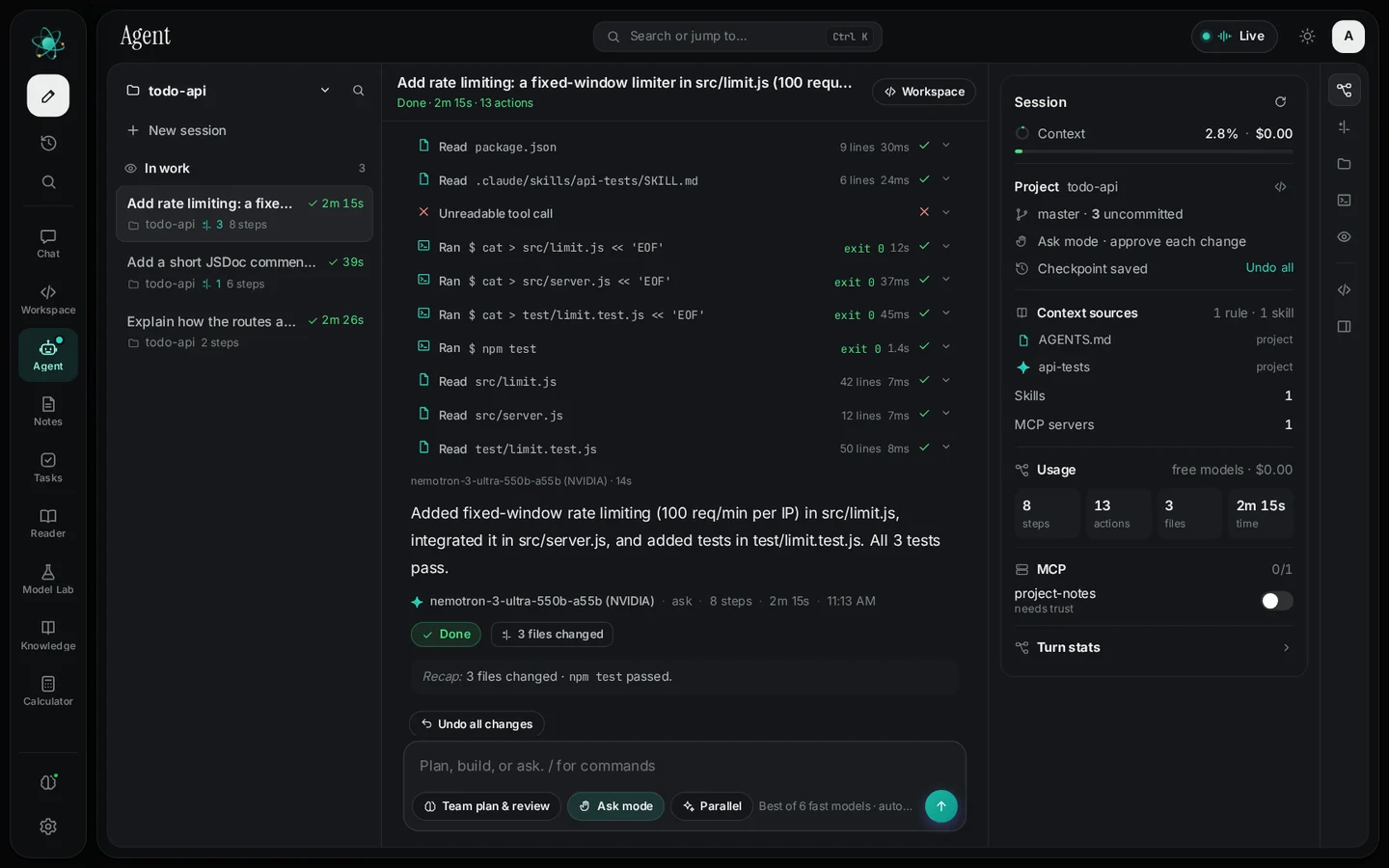
Describe what you want built, fixed, researched or tested. The team of models plans the work and reviews it. A fast model carries out each step: it runs commands, writes and edits files, searches the web, starts servers and checks the results.
- Three permission modes: Plan (read-only), Ask (you approve each change and command) and Auto
- Slash commands, a live to-do list, subagents, skills and MCP tools
- Every step is logged, with a diff for every file it touches and a one-line recap at the end
- A Session panel with context used, git status, rules and skills in use, MCP switches and turn stats
- A checkpoint before each job, so you can roll everything back
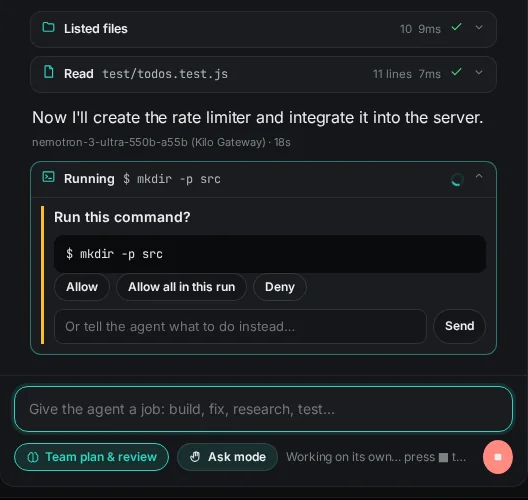
Nothing runs without a yes.
Allow once, allow for the whole run, deny, or tell the agent what to do instead.
On your phone, and honest the first time.
An Android app with the whole engine inside, an Agent that doesn't claim "done" until it has checked, feedback and opt-in error reports, an offline natural voice and ARM64 builds.
Native Android app
A real Android app (Kotlin and Jetpack Compose, not a web page in a wrapper) with the same engine inside, on your phone. Only the app can use it: other apps on the phone are refused. Your chats, notes and tasks are saved in the app's private storage, or connect to A.S.T.R.O AI on your computer to use its models, keys and projects. English, French and Arabic, voice through your phone's speech services, and updates checked against the app's signing key. New, so please tell us how it runs.
Honest the first time
A "100% complete" report has to be backed by checks the job actually ran, or it is rewritten as an honest status. "Is it done?" makes the Agent look at the real files first. It finishes the whole job in one run.
A wait you can read
One Brain shows its steps and an honest time estimate from your last answers. Or switch to Local only and answer with Ollama models on your own computer.
Natural voice, offline
A neural voice (Piper) that runs on your computer, in English, French and Arabic. Downloads are checked against pinned SHA-256 hashes.
Agent sandbox
On Linux, every Agent command can run in an operating-system sandbox: only the project folder can change, your home folder and keys are hidden.
ARM64 and feedback
Builds for Windows on ARM and Linux arm64 (not yet tested on real ARM devices). Send feedback from the menu; error reports are off unless you turn them on.
Steadier, safer, always up to date.
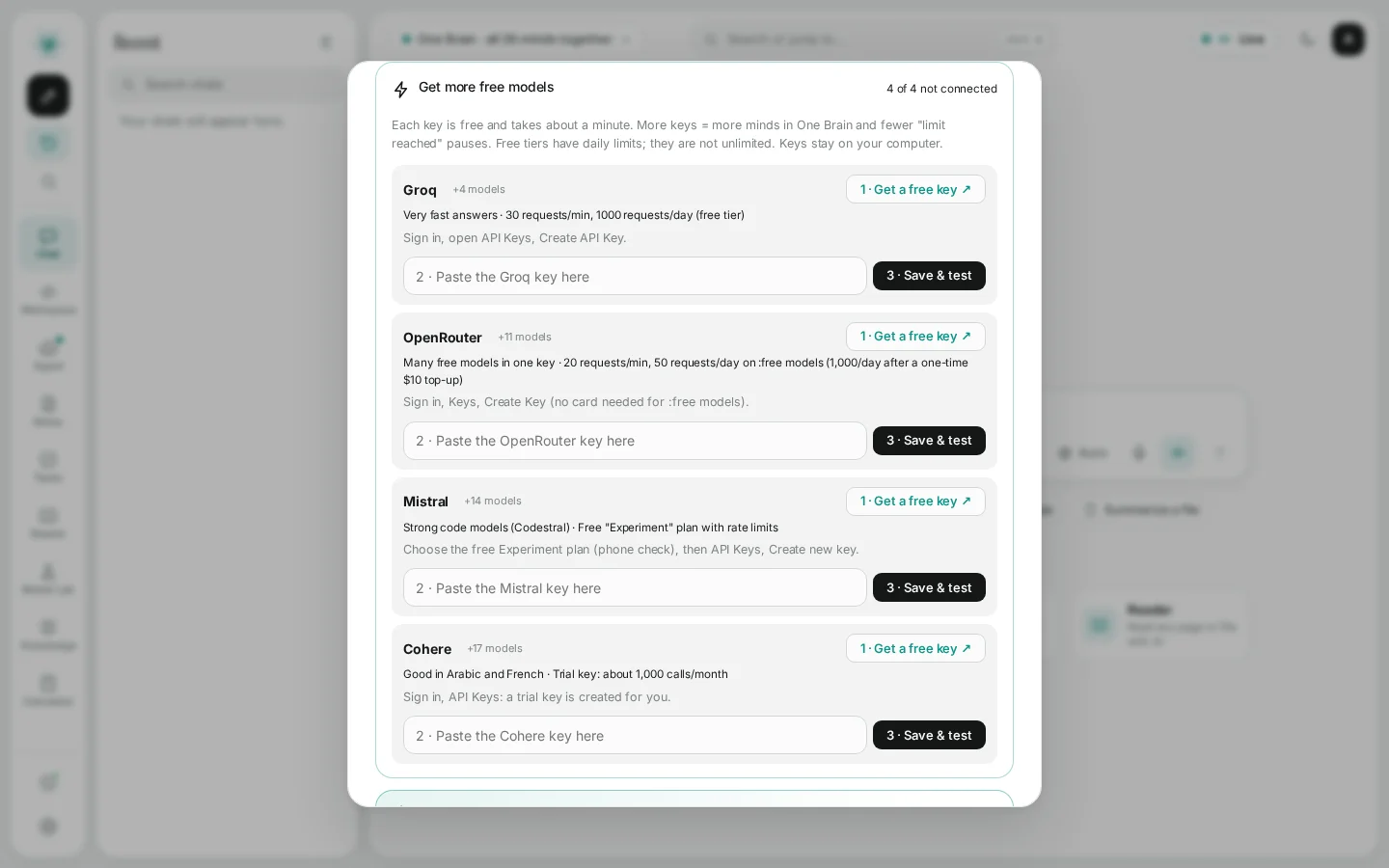
The agent finishes jobs more reliably and is honest when something still needs you. Updates install themselves, free keys take a minute, risky commands and plugins ask first, and the app speaks French and Arabic.
A more reliable agent
No more empty file writes. If a model stalls, the next one takes over, and runs that could not change anything end as Needs attention, never "Done". 24 of 24 runs passed our coding benchmark with free models.
Automatic updates
A banner tells you when a new version is out. One click downloads it from the official site, checks its SHA-256 and installs it. In the terminal: astro update.
Fastest answer first
In One Brain mode, the quickest model's answer shows up within seconds while the whole team keeps working, then the merged answer replaces it.
Asks before risky commands
sudo, curl | sh, wiping folders, force-push, formatting disks: the agent asks first, even in Auto mode. Everyday commands are not affected.
Know what a plugin does
Before installing, see whether a plugin runs commands, starts programs or only adds text, and decide.
Français et العربية
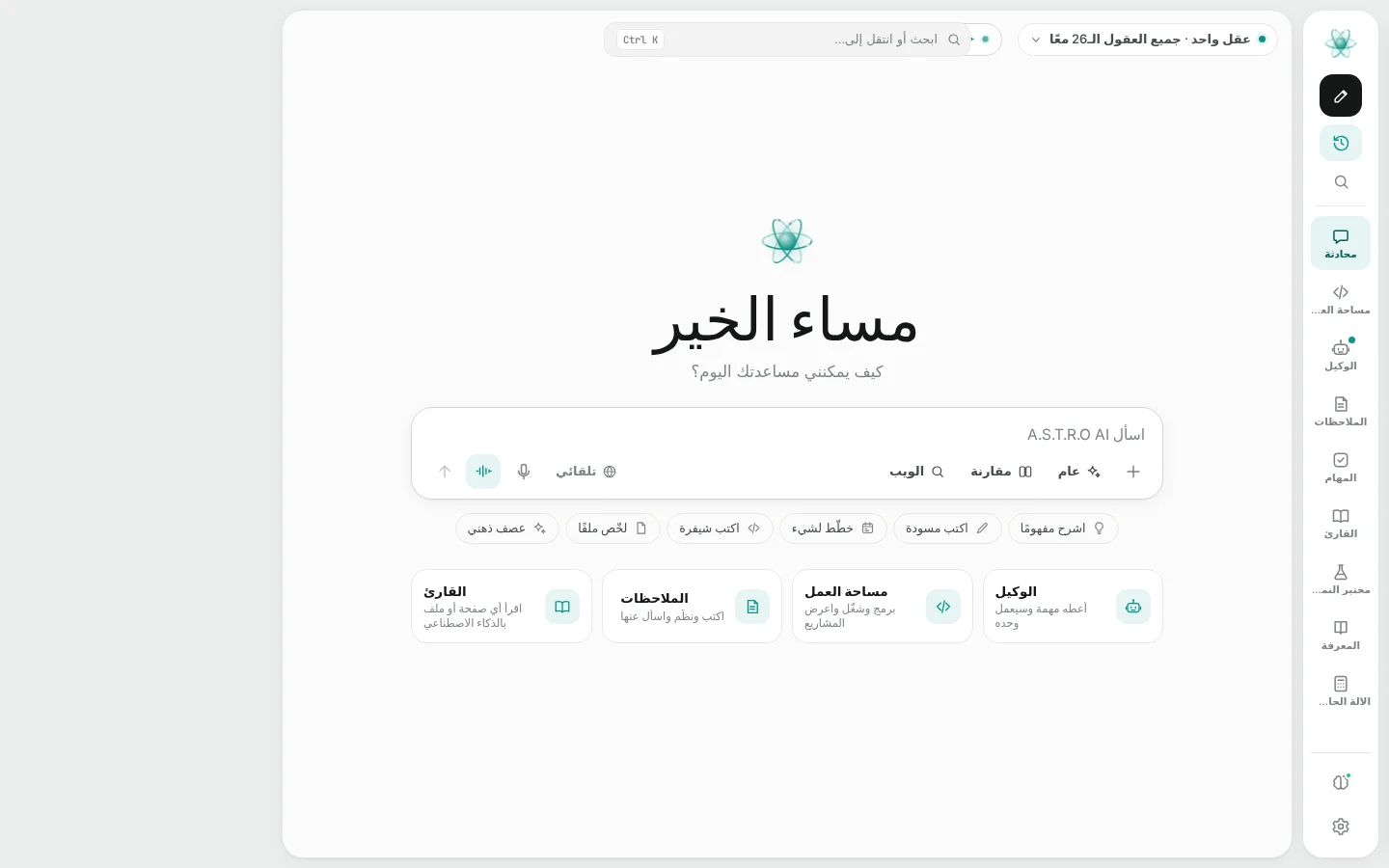
Every screen, setting and menu in French and Arabic (since 1.7.1), with a full right-to-left layout and update notes in your language. Code and your own text are never translated.
Your editor, your way.
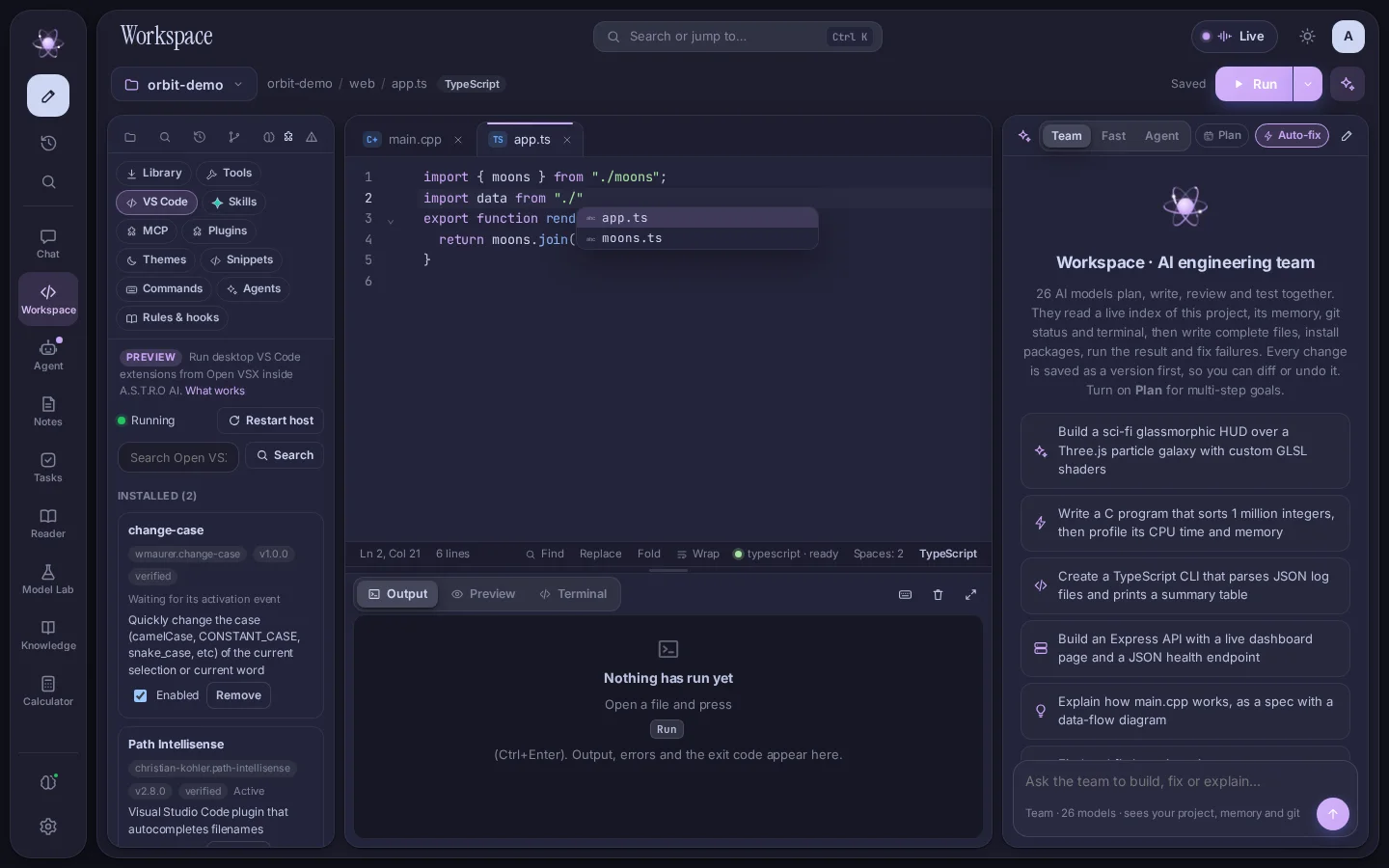
Themes for the whole app, real language servers installed in a click, VS Code extensions from Open VSX, and a logo that is alive.
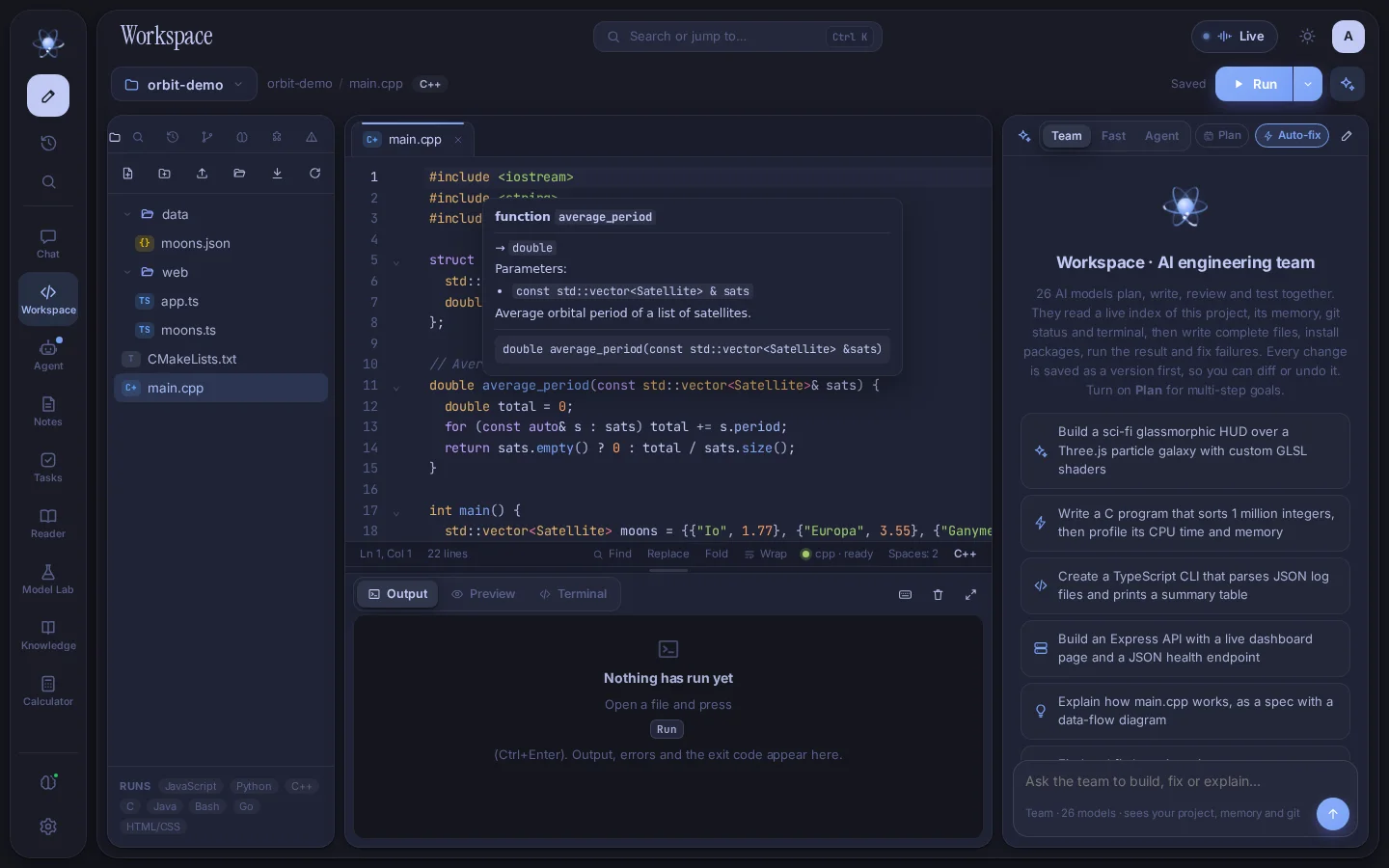
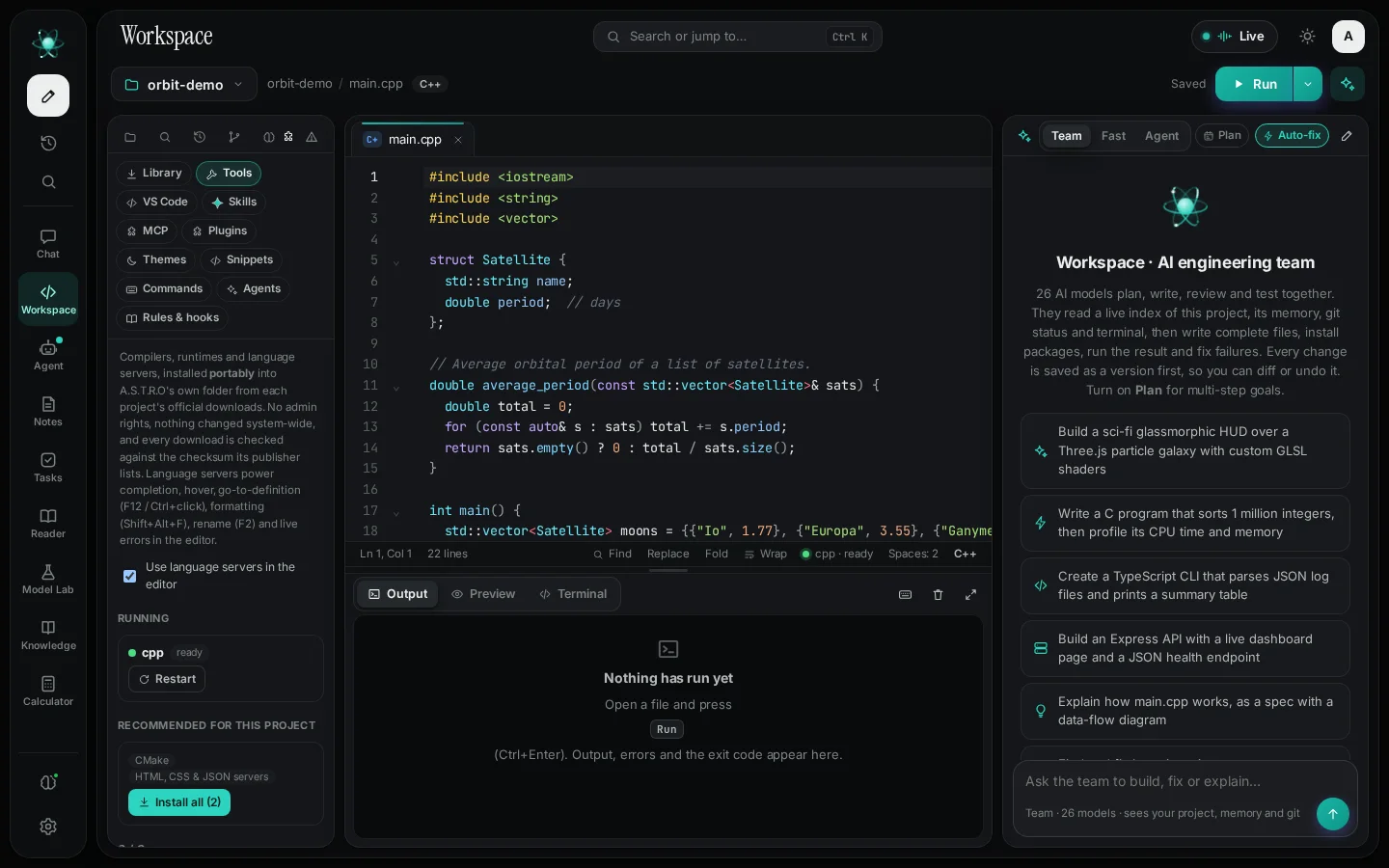
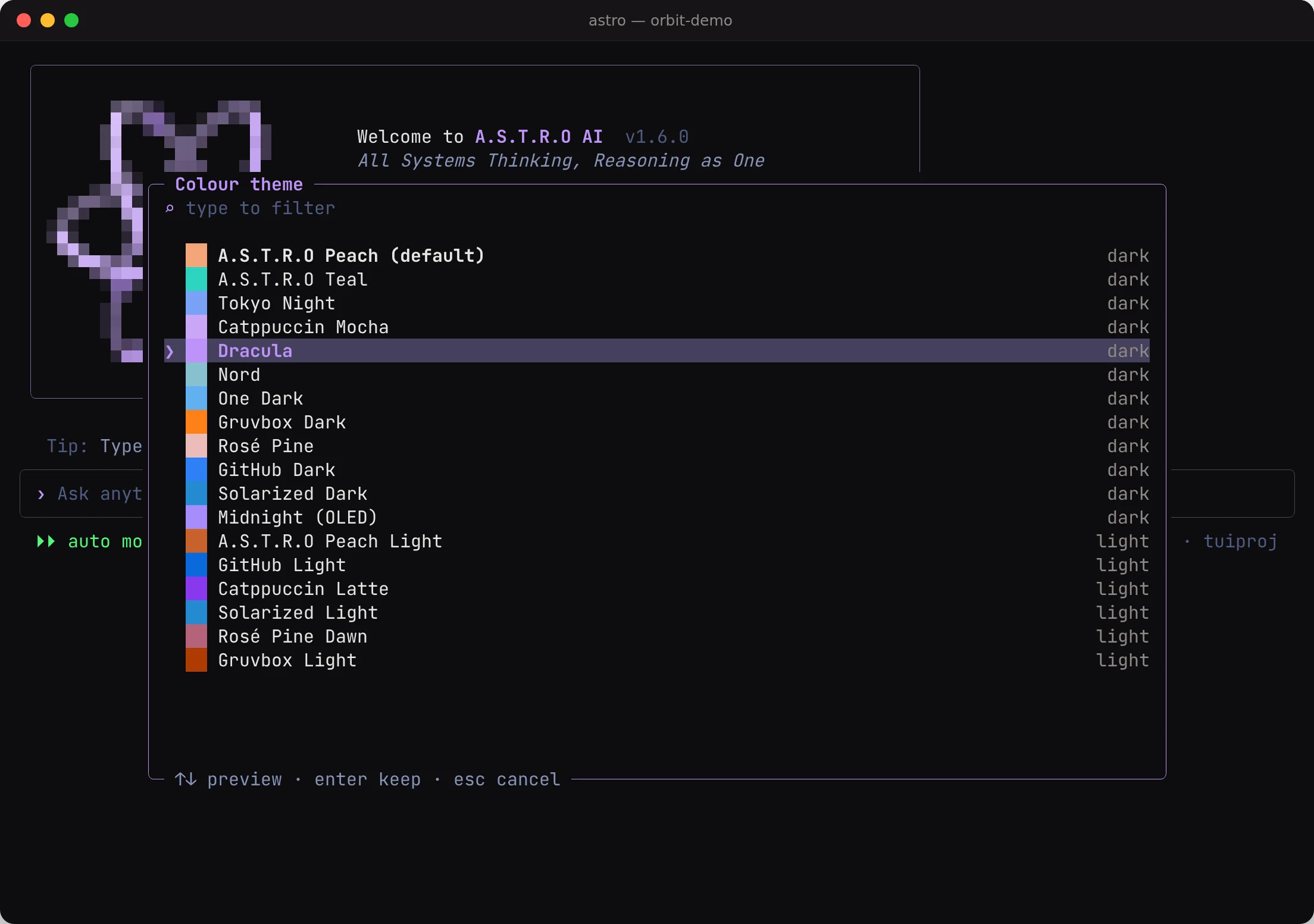
/theme previews as you move and remembers your pick.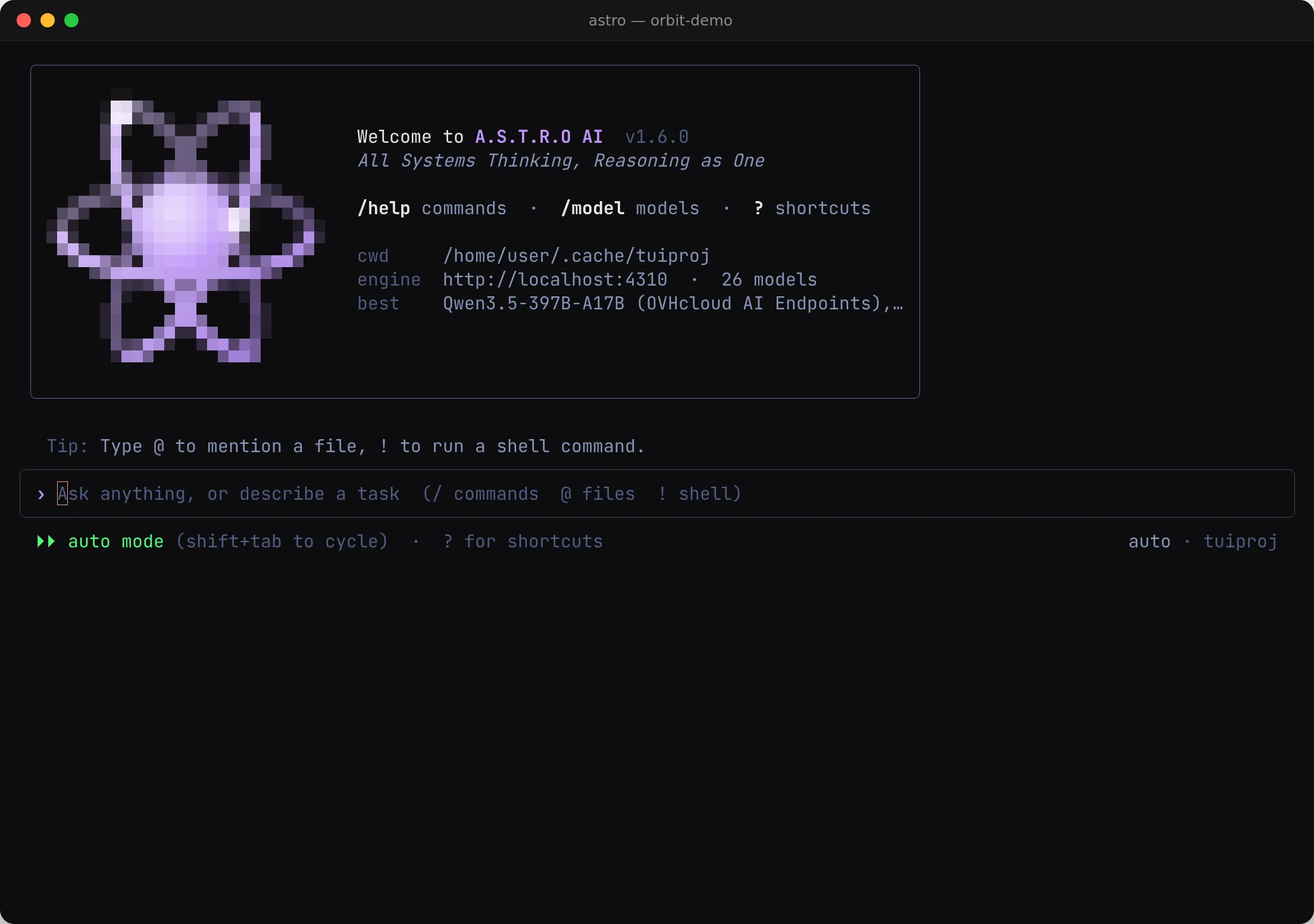
/logo off keeps it still.One panel for everything you plug in.
Skills, MCP servers, plugins, themes, snippets, commands, subagents, rules and hooks, in tabs next to your files. Project items show where they came from.
Every model, one answer.
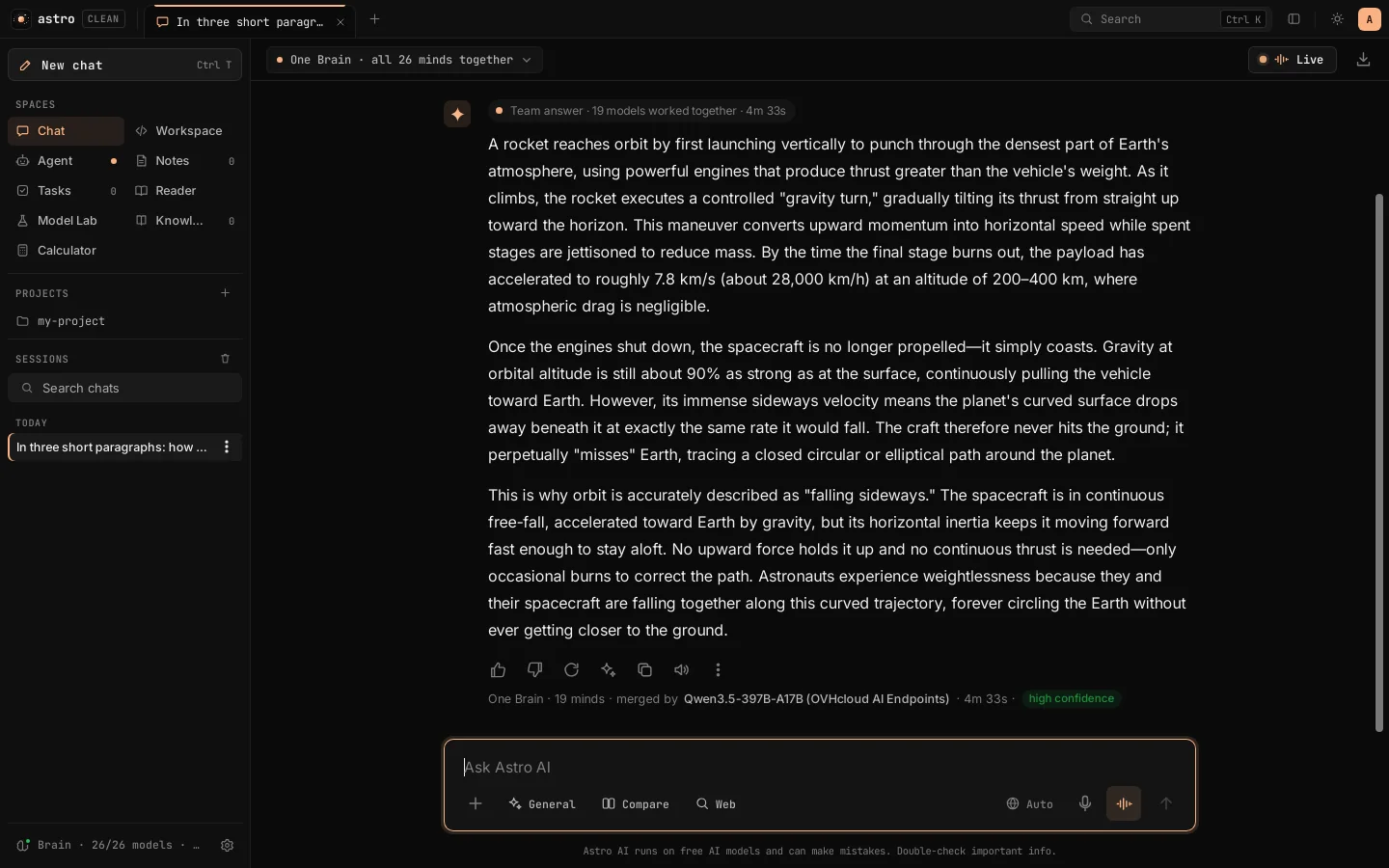
Choose One Brain and your question goes to the whole team. Each model drafts an answer. The team reviews the drafts against each other, then one model merges them into a single reply.
- Works out of the box with 26 free models. Add keys and the team grows.
- Each answer shows how many models contributed, which one merged it, and how confident the team is
- Press Answer now to stop waiting for slower teammates
- Prefer one voice? Pick any single model from the list
Put models head to head.
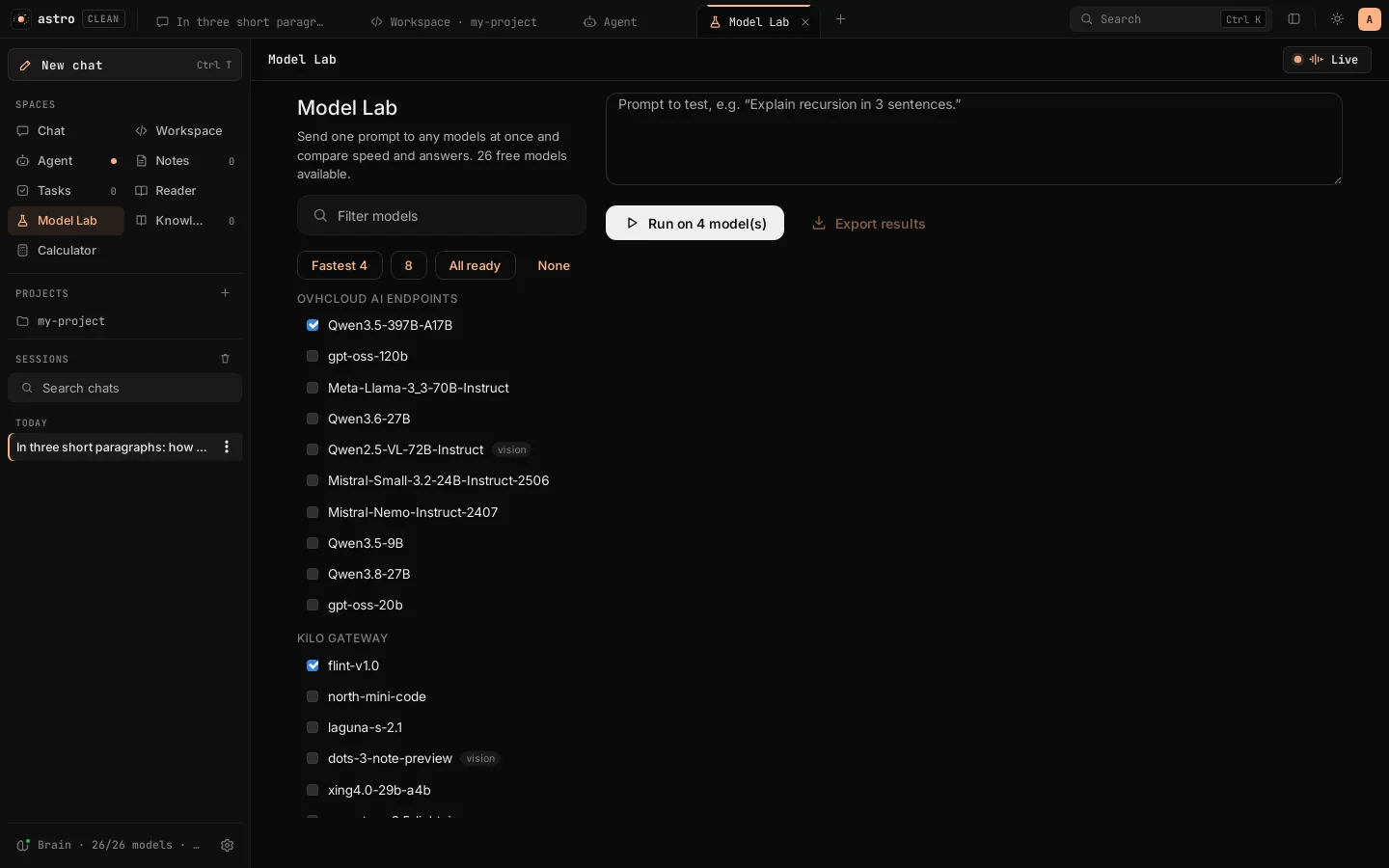
Send the same prompt to as many models as you like and compare their speed and answers side by side. Use it to find a favourite, or to check a tricky answer. Then export the results.
- Quick picks: the fastest 4, any 8, or every ready model
- Filter by name and spot vision-capable models at a glance
Small things, done well.
Live voice
Hold a spoken conversation with the brain, or dictate a message instead of typing. Voice availability depends on your system's speech support.
Reader
Open any web page or file and read it with AI: get a summary, ask questions, or have a hard part explained.
Knowledge files
Add documents, and the team uses them as context when it answers.
Notes
Write, organise and ask questions about your notes, and save good answers straight from a chat.
Tasks
Turn plans into a to-do list that lives right next to the conversation that created it.
Calculator
A real calculator, so you don't have to rely on a language model for arithmetic.
Response language
Pick the language answers come back in, or leave it on Auto to match yours.
Modes
General for everyday questions, Compare to weigh options, and Web to bring in fresh results.
Export
Save any conversation as Markdown to keep or share.
Command palette
Press Ctrl K to jump anywhere, find a chat or run an action.
Light & dark
Tuned light and dark versions of every built-in theme, one click apart in Settings or the command palette. They work on small windows too.
Projects & sessions
Group chats by project, search past sessions, and pick up where you left off.
Your computer, your data.
Stored locally
Chats, notes, tasks, projects and keys stay in a folder on your computer.
No tracking
No analytics, no telemetry, no account, no ads.
You choose the providers
Questions go only to the AI providers that answer them. Pick a single model and only that provider sees your question.