How One Brain works, and what it costs you.
Why we ask every model instead of routing to one, and the honest trade-offs that come with it.
Routing vs. teamwork
Most apps that offer many models are routers. They look at your question, guess which model suits it best, and send it there. That's fast and cheap, but you get one model's strengths and one model's blind spots.
One Brain does something different. It sends your question to every available model, and then makes them work together. The idea is simple: independent models make different mistakes, so comparing their answers is a good way to catch errors that any one of them would miss.
The four stages
1. Plan
The team reads your question along with its context: recent messages, attached files and any knowledge files you've added. Then it settles on an approach. A request for code gets a different plan than a request for a short explanation.
2. Work
Every model drafts its own answer at the same time. Fast models finish in seconds, slow ones can take minutes, and we deliberately wait for the slow ones. Some of the most careful answers come from the slowest models.
3. Review
The drafts are compared. Points that most models agree on gain weight. Where models disagree, the team works out why and checks the facts, the arithmetic or the code. This stage catches confident-sounding mistakes.
4. Answer
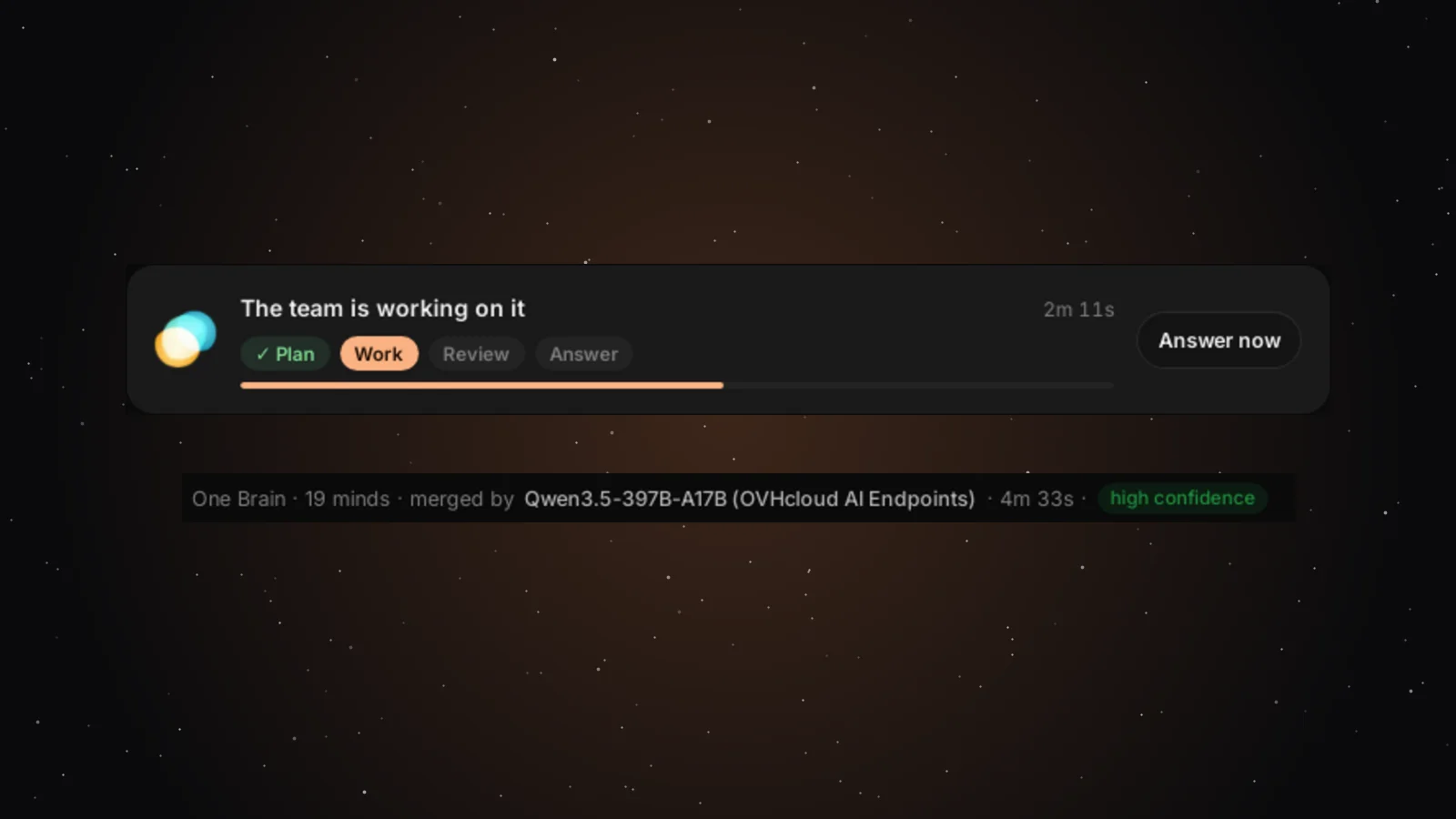
One model, usually a large and capable one, merges the reviewed material into a single reply. Below it you'll see a summary like "One Brain · 19 minds · merged by Qwen3.5-397B · 4m 33s · high confidence". That tells you how many models contributed, who wrote the final version, how long it took, and how much the team agreed.
The costs, honestly
Time
Teamwork is slow. Waiting for every model, then reviewing and merging, usually takes a few minutes. The example in the cover image took four and a half. We think that's worth it for questions that matter, but it's the wrong tool for quick back-and-forth.
So there are two ways out. Press Answer now on the progress card and the team writes the answer from whatever is ready. Or pick a single model from the model menu for instant replies. In the Workspace, Fast mode does the same for code.
Limits
Every model in the default team runs on a provider's free tier, and free tiers have rate limits and daily caps. One Brain uses one request per model per stage, so it spends quota faster than a single-model chat. When a provider runs dry, the team carries on without it, and the summary line shows the smaller head count. Adding your own free keys means more providers, more models and more headroom.
Privacy
Sending your question to every model means sending it to every provider on the team. Each provider has its own privacy policy, and some free tiers may use prompts for training. If a question is sensitive, pick one model from a provider you trust, so only that provider sees it. Settings shows each provider's privacy notes where we know them. More on our privacy page.
It can still be wrong
Teamwork reduces mistakes; it doesn't eliminate them. If most models share the same misconception, review won't catch it. That's why every answer carries the team's confidence, and why we suggest double-checking anything important.
When to use what
| You want… | Use |
|---|---|
| The most careful answer to a question that matters | One Brain |
| Quick back-and-forth, brainstorming, small edits | A single model |
| To see how models differ on a prompt | Model Lab |
| Working code in a project | Workspace: Team for quality, Fast for speed |
| A whole job done end to end | Agent |
Try it on a question you know the answer to and see how the team does. Then try it on one you don't.