
A.S.T.R.O AI 1.6: your editor, your way.
Themes for the whole app, real language tools in one click, VS Code extensions from Open VSX, and a logo that's alive.
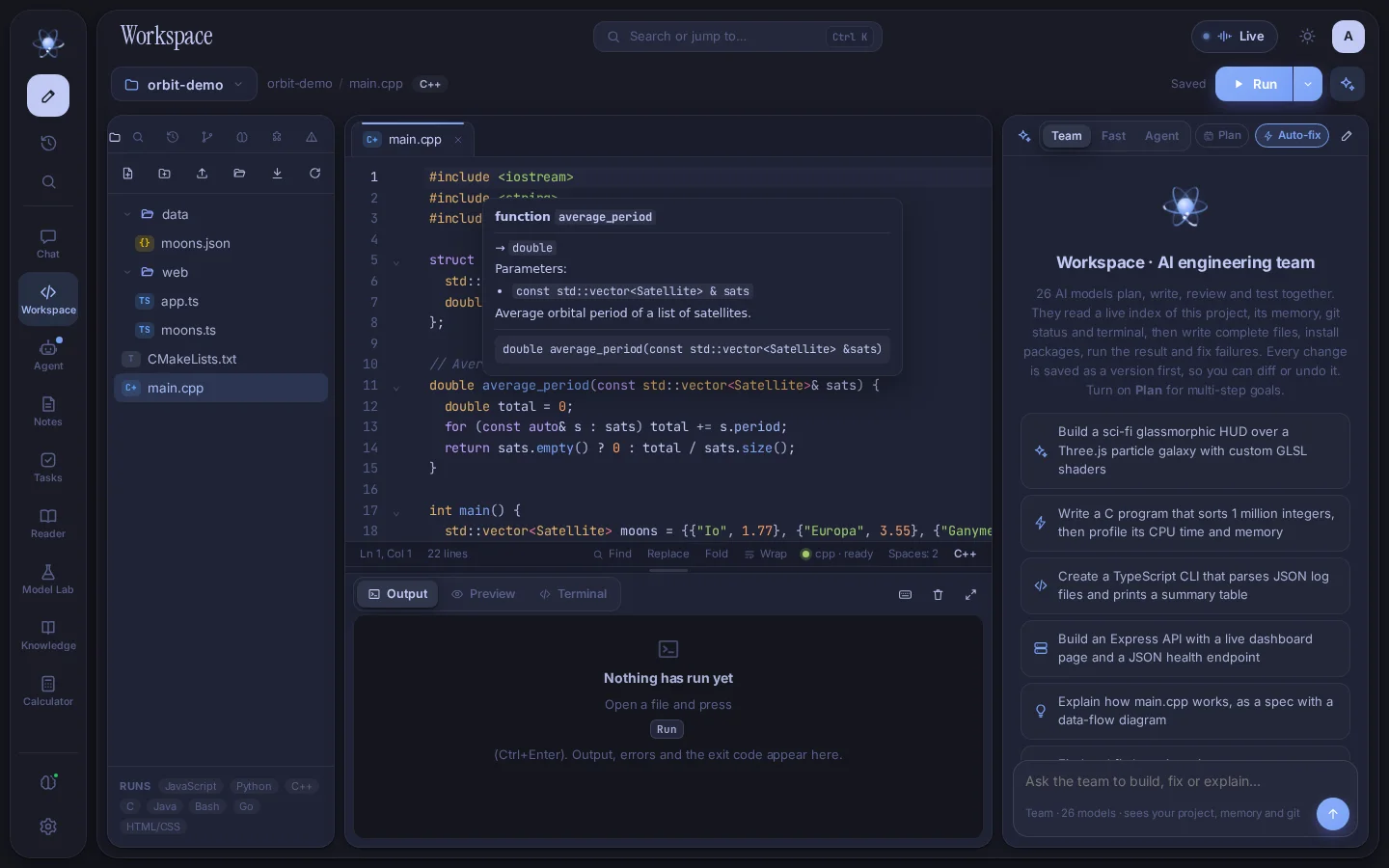
Since 1.1, people have used the Workspace for real projects. The most common requests were simple: make it look the way I like, and give me the language smarts I'm used to from VS Code. Version 1.6 does both, and it's still free.
Themes for the whole app
There are now 19 built-in themes, including A.S.T.R.O Peach and Teal, Tokyo Night, Catppuccin, Dracula, Nord, One Dark, Gruvbox, Rosé Pine, Solarized and GitHub, in dark and light versions. A theme recolours everything: the sidebar, the chat, the agent and the editor. Pick one in Settings › Appearance, or press Ctrl+K and type "Color theme".
VS Code colour themes from Open VSX now apply to the whole app too, not only the editor. In the terminal app, /theme opens a picker that previews each theme as you move. Enter keeps the theme and Esc puts the old one back.
Language tools in one click
The new Extensions › Tools tab lists the compilers, runtimes and language servers each language needs, shows what's already on your computer, and recommends what fits the open project. A C++ project gets clangd and CMake, and a web project gets the HTML, CSS and JSON servers.
Installs are portable and need no admin rights. A.S.T.R.O downloads the official build straight from the project (GitHub releases, nodejs.org, go.dev, Adoptium, Eclipse) and checks it against the SHA-256 the project publishes. The files go into A.S.T.R.O's own tools folder, and nothing changes system-wide.
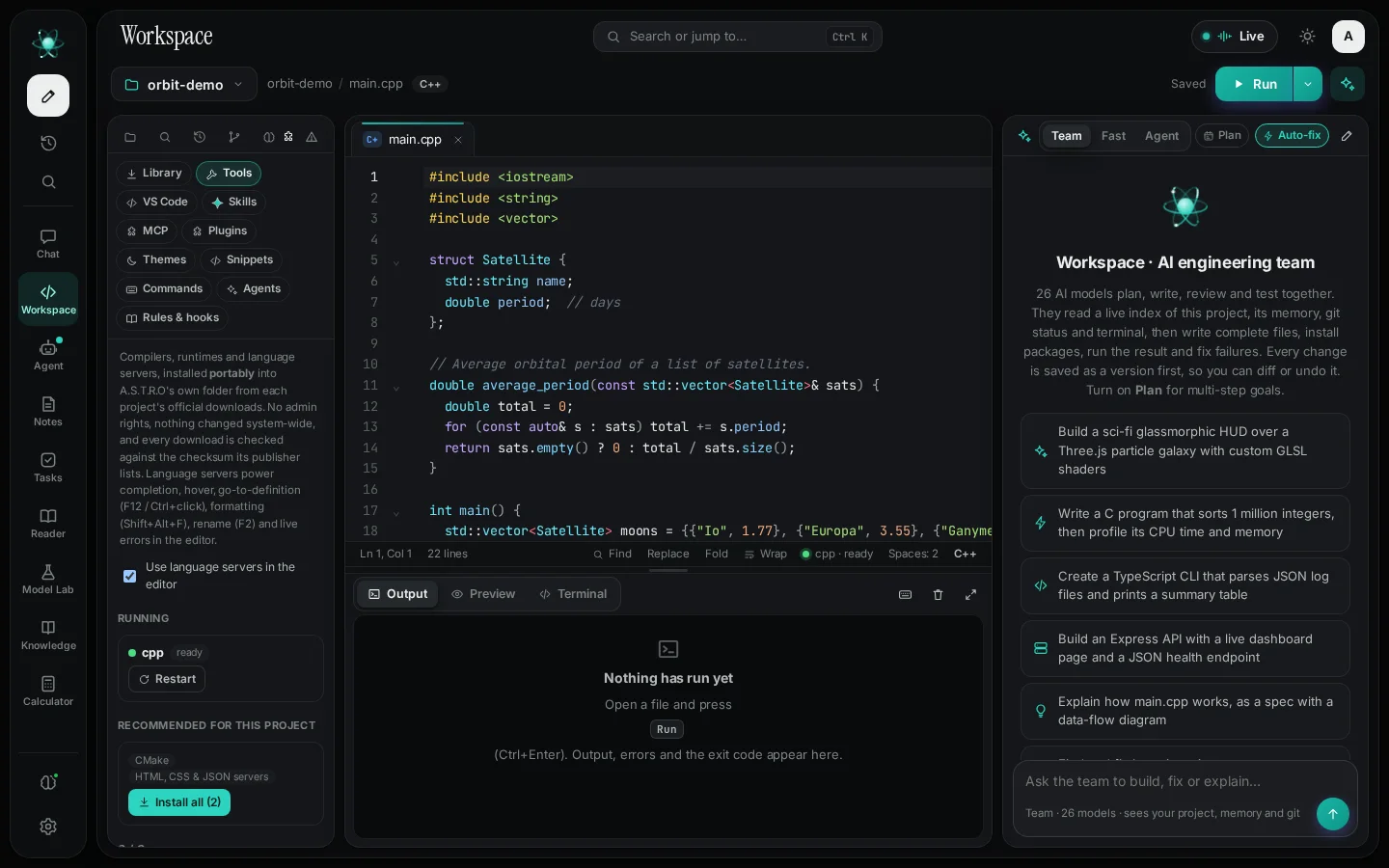
With a language server running, the editor gives you completion, hover docs, live errors, go to definition (F12), formatting (Shift+Alt+F) and rename (F2). That covers clangd for C and C++, Pyright, TypeScript, rust-analyzer, gopls, a JDK with jdtls, Lua, YAML and more. You can also manage tools from a terminal: astro tools list, astro tools install clangd.
A note on C++: Microsoft's C/C++ extension is licensed only for Microsoft's own VS Code products and isn't on Open VSX, so A.S.T.R.O uses clangd from the LLVM project. On Windows, the Tools tab also offers a portable LLVM-MinGW compiler.
VS Code extensions (preview)
The Extensions › VS Code tab searches Open VSX and runs real desktop extensions in a small extension host on Node.js. Install Node.js from the Tools tab if you don't have it. Their commands appear in the command palette. Messages, quick picks, input boxes, status-bar items, output channels, problems, completion, hover and formatting all show up in the app. Downloads are checked against Open VSX's SHA-256.
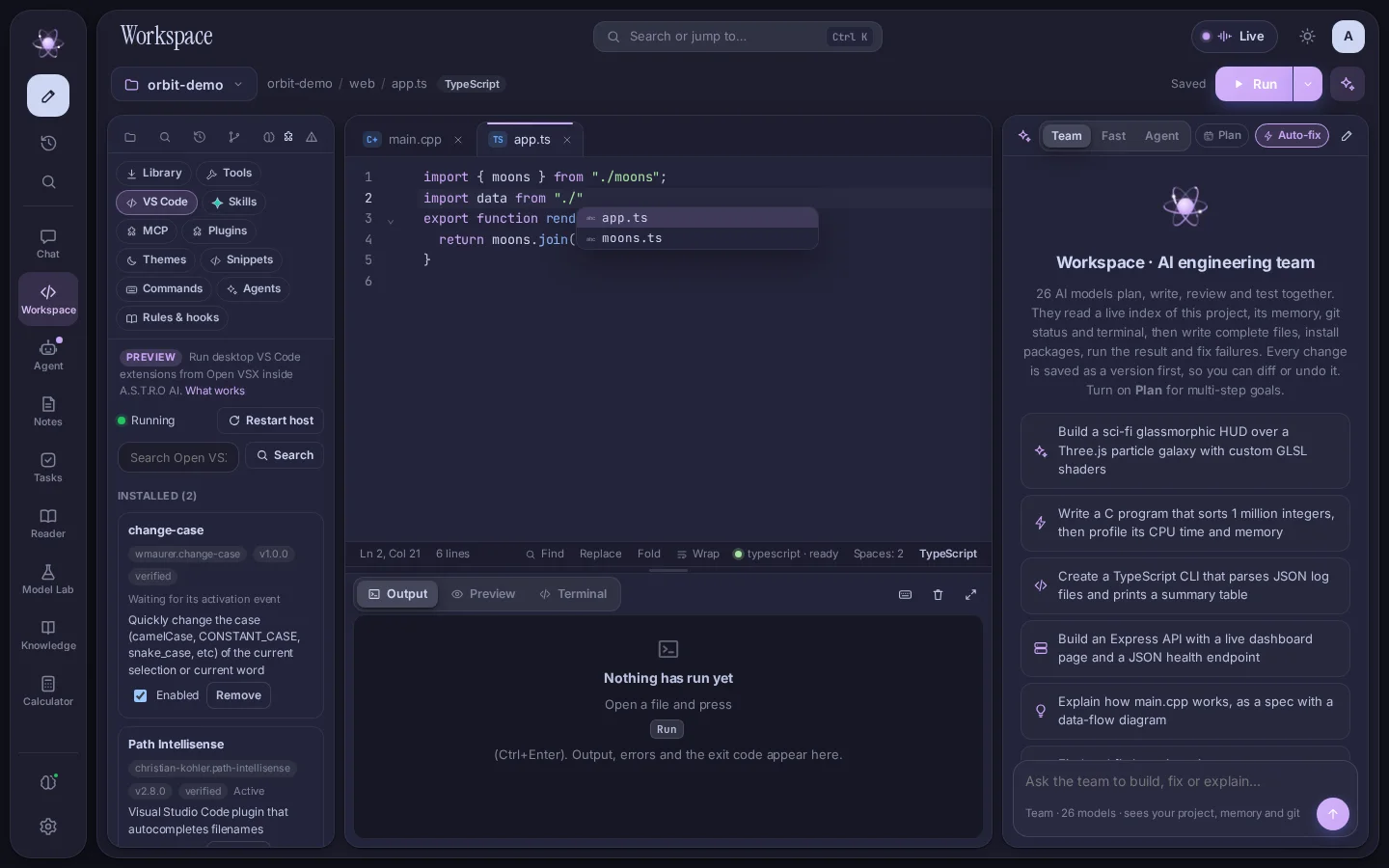
It's a preview, and we want to be clear about the limits. Webviews, debuggers, tree views, custom editors, notebooks and extensions that start their own language client may not work yet. The VS Code tab lists any API an extension uses that A.S.T.R.O doesn't provide. For language servers, use the Tools tab. The extensions guide lists exactly what's supported.
A logo that's alive
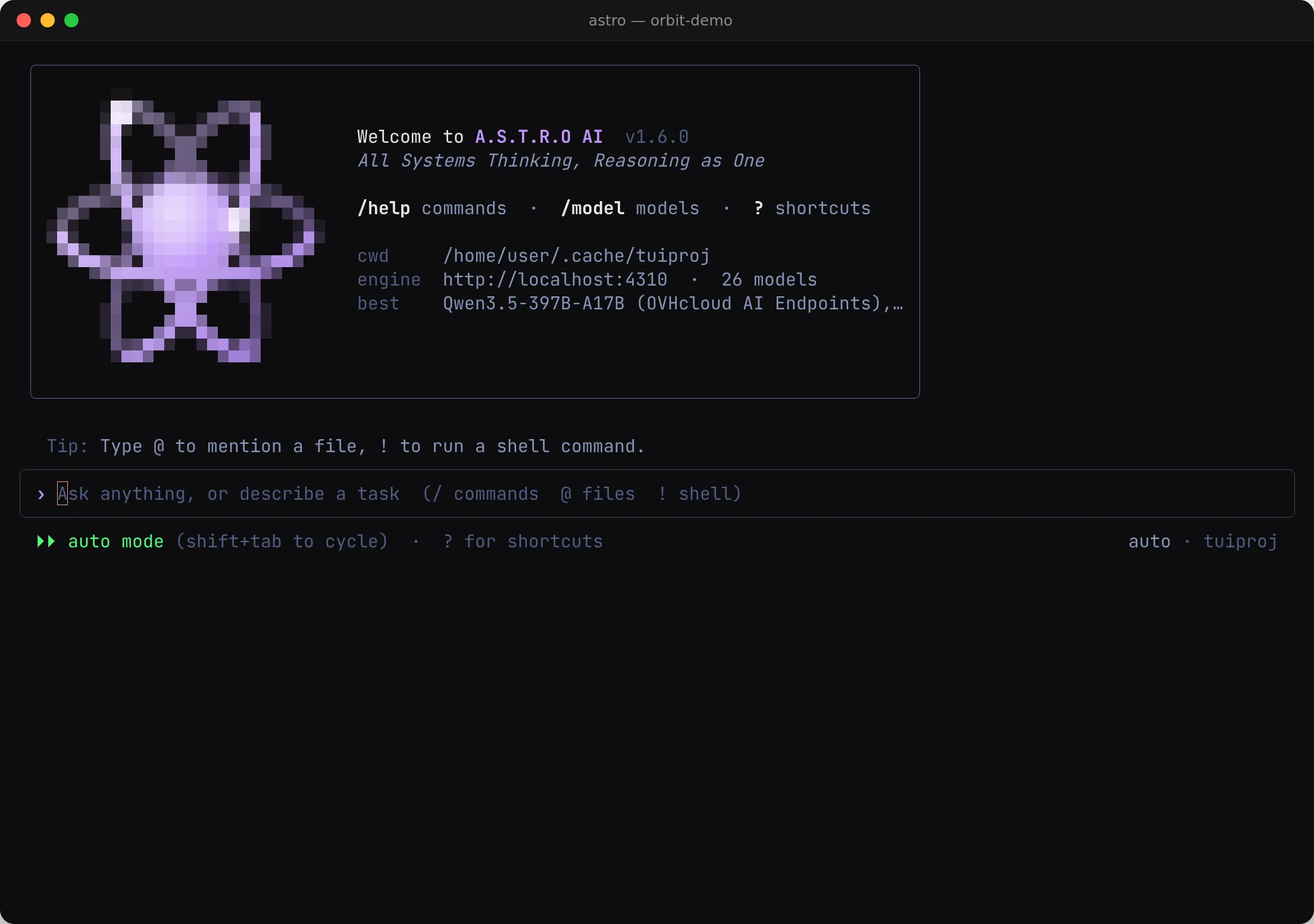
The orbit mark now really orbits. Four satellites circle the core, passing behind it and coming round in front, while light travels along the rings. It follows your theme's accent colour in the app and the desktop title bar. The terminal app draws its own animated version. If you prefer a still logo, type "logo" in the command palette (Ctrl+K) in the app, or /logo off in the terminal. Reduced-motion settings are respected.
Good to know
- VS Code extension support is a preview, so not every extension will work.
- Tools are downloaded on demand. Large ones, like a JDK, take a while on slow connections.
- The installers aren't code-signed yet, so Windows and macOS may warn the first time you open the app.
- The models are free tiers with daily limits, and they can be wrong. Review changes before you ship them, and keep your work in git.
Get it
A.S.T.R.O AI 1.6 is free for Windows, macOS and Linux, on the desktop, in the terminal and in VS Code. Download it here, and see the changelog for every detail.
The A.S.T.R.O AI team