
A.S.T.R.O AI 1.1: a coding platform with a whole team inside.
Open any folder, choose how much the agent may touch, and bring the skills, rules, MCP servers and plugins you already use.
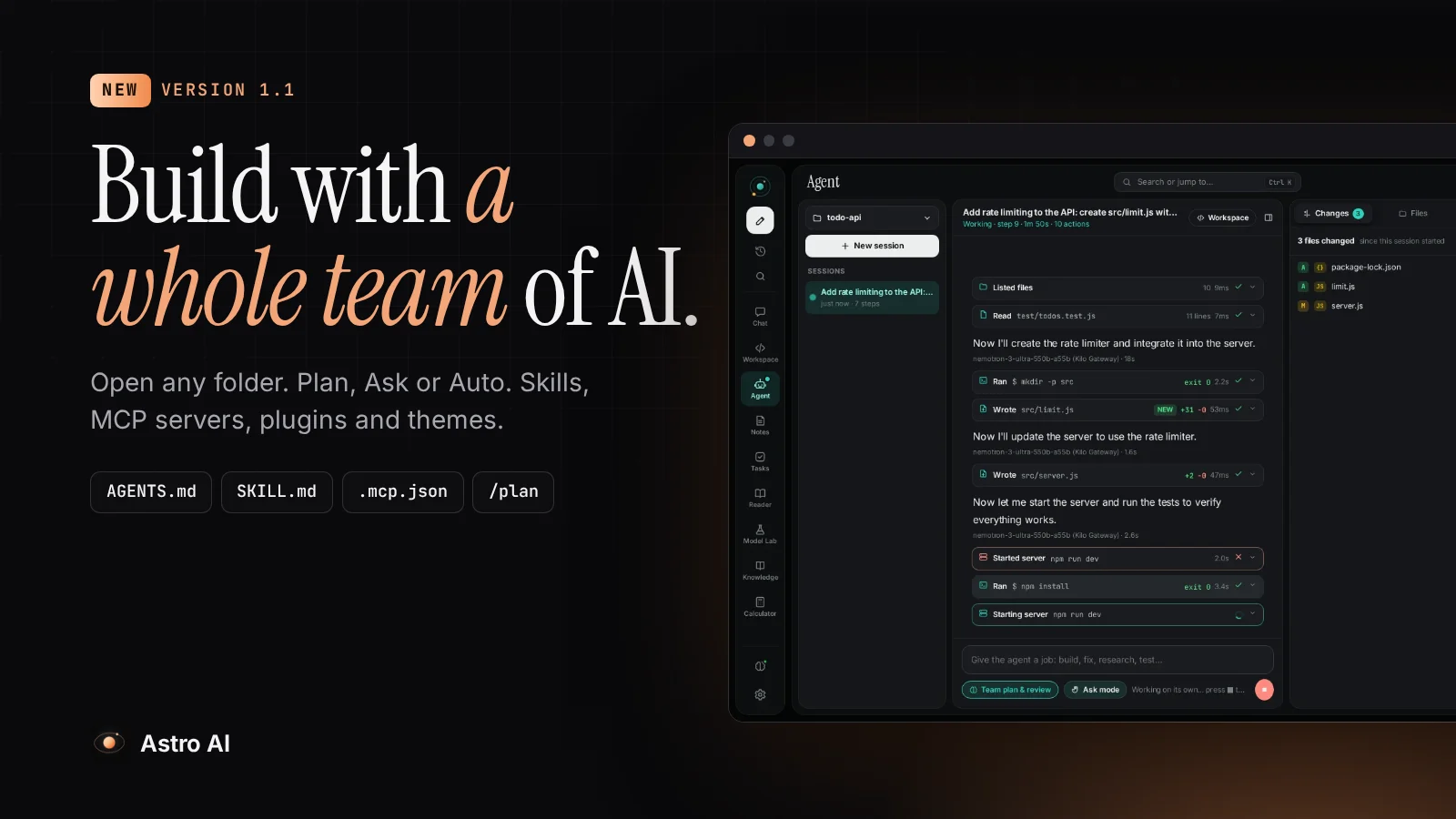
A.S.T.R.O AI started as a chat app where a team of free models answers as one. People quickly started using the Workspace and the Agent for real code, and asked for the things they were used to from Claude Code, Codex, Cursor and OpenCode. Version 1.1 is our answer: A.S.T.R.O AI is now a coding platform.
Open a real folder
Until now, Workspace projects lived inside A.S.T.R.O AI's own data folder. In 1.1 you can open any folder on your computer from the project menu. The editor, terminal, Git panel and agent all work on your real files, in place. Closing a folder only removes it from the list. Your files stay where they are.
Plan, Ask or Auto
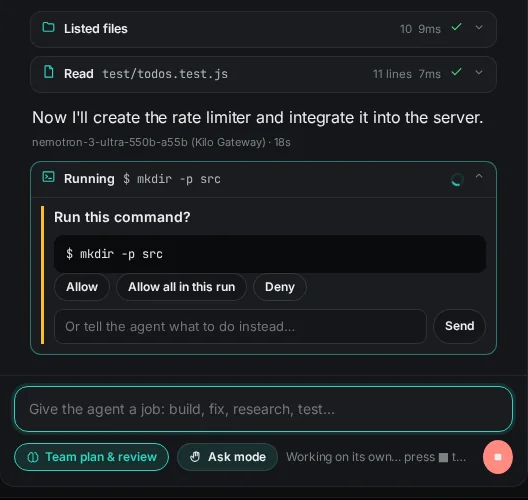
Letting an AI loose on your own code needs clear rules, so every folder now has a permission mode:
- Plan is read-only. The agent can read, search and run safe commands, then hands you a plan. Writes are blocked.
- Ask is the default for folders you open. Reading is free, but every file change and command waits for you: allow once, allow for the whole run, deny, or tell it what to do instead.
- Auto lets the agent work on its own. It still logs every step, and a checkpoint is saved first so you can undo the whole run.
Switch modes from the composer, or type /mode plan, /mode ask or /mode auto.
Your setup, as it is
Astro now reads the files other coding tools already put in your repo:
- Rules:
AGENTS.md,CLAUDE.md,GEMINI.md,.cursorrules,.cursor/rulesand.github/copilot-instructions.md, plus your global rules from~/.claude,~/.codexand OpenCode. - Skills:
SKILL.mdfiles from.claude/skills,.opencode/skill,.codex/skillsand.agents/skills. The agent sees each skill's name and description, and loads the full instructions only when they're relevant. - Slash commands and subagents from
.claude,.opencodeand.cursorfolders, including$ARGUMENTS. - Hooks from
.claude/settings.json. Project hooks only run after you trust them.
Built-in commands cover the usual jobs: /init writes or improves AGENTS.md, and there's also /plan, /review, /test, /commit, /compact, /skills, /mcp and /agents.
Extensions: MCP, plugins, themes
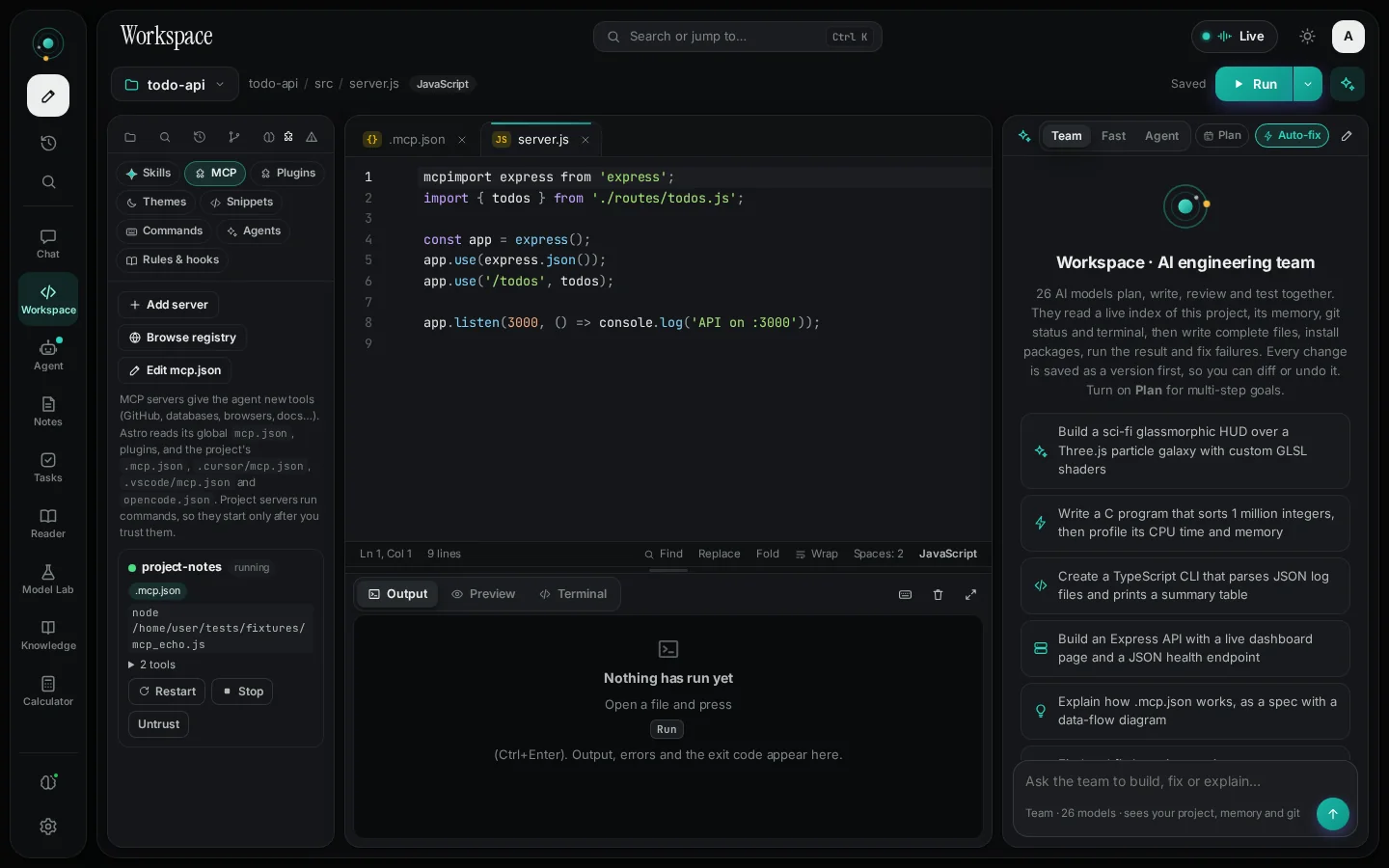
A new Extensions panel sits next to your files.
- MCP servers from
.mcp.json,.vscode/mcp.json,.cursor/mcp.jsonoropencode.json, or straight from the official MCP registry. Both local (stdio) and remote (HTTP) servers work. Servers from a project only start after you trust them, because they can run code on your computer. - Plugins in the Claude Code format, installed from GitHub, including plugin marketplaces. A plugin can bring skills, commands, agents, hooks and MCP servers at once.
- Themes and snippets from Open VSX, the open registry of VS Code extensions. We install colour themes and snippet packs only, never extensions that run code.
A better editor, too
- A Problems panel that checks your code with the tools you have installed (node, tsc, gcc, cargo, go and more), with squiggles in the editor. The agent reads it after every edit.
- Optional AI ghost text: inline suggestions as you type. Tab accepts.
- An Agent Manager, inspired by Antigravity, that shows every agent session in the window so you can run jobs in parallel.
- If you have Claude Code, Codex, OpenCode, Gemini CLI or DeepSeek Harness installed, the agent can hand sub-tasks to them, in the same permission mode.
Honest notes
- The agent's final team review can take a few minutes. Press ■ to skip it.
- DeepSeek Harness support is new and experimental.
- Antigravity has no public extension format, so we borrowed its ideas (like the Agent Manager) rather than its files.
- macOS is still a build kit that makes the app in about a minute.
- The models are free tiers with limits, and they can be wrong. Review changes before you ship them, and keep your work in git.
Get it
A.S.T.R.O AI 1.1 is free for Windows and Linux, with a build kit for macOS. Download it here, and see the changelog for every detail.
The A.S.T.R.O AI team